



Most mid-size and enterprise companies already pay for Microsoft 365, and many of their employees already use ChatGPT, often on personal accounts. Leadership now has to decide which assistant to license, govern and support. For a business, the Copilot vs ChatGPT question is less about which chatbot writes better and more about where your work and data live.
This guide covers what each tool is, a side-by-side table, picks by use case, security, real costs and a pilot plan you can run before you commit.
Are Copilot and ChatGPT the Same Thing?
No. Copilot and ChatGPT are different products from different companies. Microsoft 365 Copilot is the paid AI add-on for business Microsoft 365 plans, built into the apps and grounded in your organization's data. If you want the details, here is how Microsoft 365 Copilot works inside your apps. ChatGPT is OpenAI's standalone assistant, used in its own app or workspace. ChatGPT Enterprise is OpenAI's top business tier, with admin controls and enterprise data commitments.
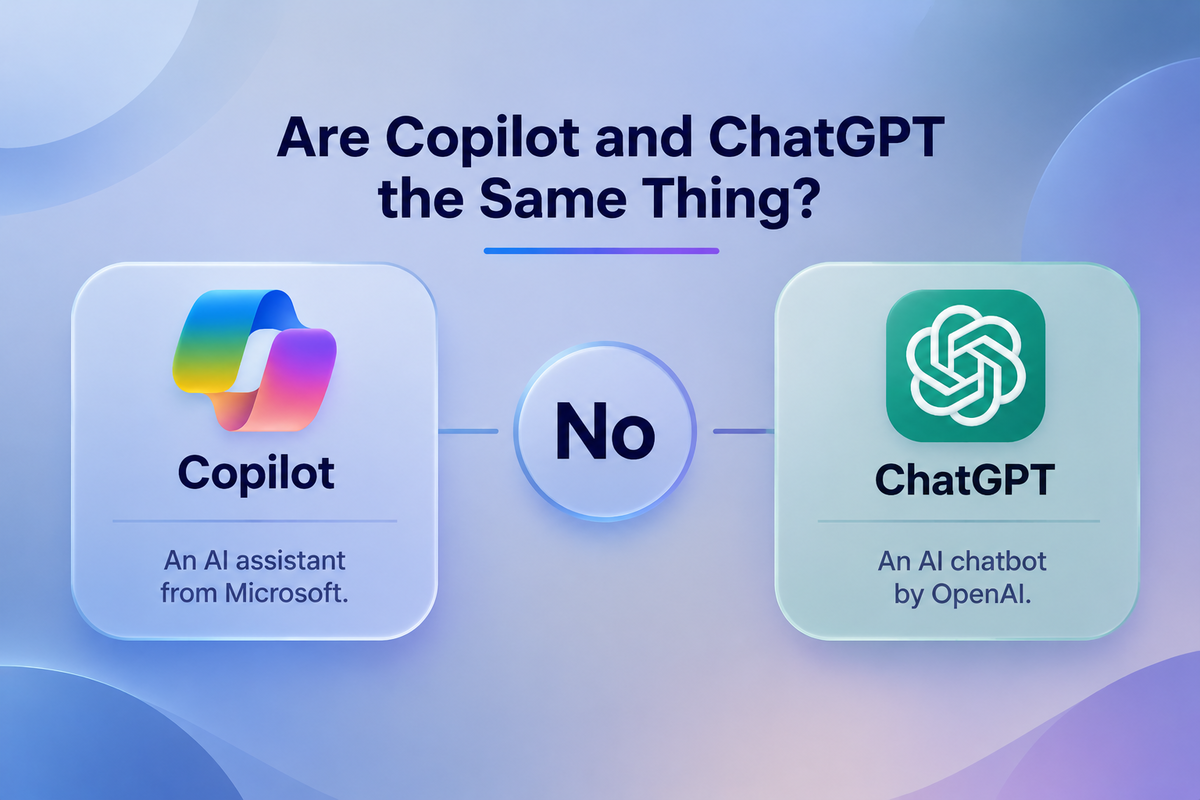
So anyone asking whether Copilot is the same as ChatGPT, or "is Copilot ChatGPT with a Microsoft logo?", gets a clear no. In practice, the difference between Copilot and ChatGPT comes down to three things:
- Where it lives: Copilot works inside Word, Excel, PowerPoint, Outlook and Teams. ChatGPT runs as a separate app or workspace.
- What it can see: Copilot reaches tenant data through Microsoft Graph, limited to what each user can already access. ChatGPT sees only what users upload or connect.
- Who runs it: Copilot is administered through the Microsoft 365 admin center and Microsoft Purview. ChatGPT is administered through its own workspace admin console.
Those three points drive almost every Microsoft Copilot vs ChatGPT decision in a business setting.
Find the Right AI Solution for Your Business!
Does Copilot Use ChatGPT?
Copilot does not run on the ChatGPT product. It uses OpenAI's large language models, and Microsoft has also brought in models from other providers. Microsoft's Copilot documentation describes it as a service that combines these models with your Microsoft 365 content.
We don't name model versions here because they change every few months. Raw answer quality is often similar between the two. The real differences are the data each tool can reach, where it runs and the controls around it. For the full history of the Microsoft-OpenAI relationship, see our explainer on whether Microsoft Copilot uses ChatGPT under the hood.
Which Copilot Are We Comparing?
"Copilot" is the name of several Microsoft products, which causes confusion:
- Microsoft 365 Copilot: the business add-on that works in Word, Excel, PowerPoint, Outlook and Teams. This is the one this post compares.
- The consumer Copilot app and Copilot Pro: built for personal use and covered briefly in the consumer section below.
- GitHub Copilot: a coding assistant for developers, which is out of scope here.
On the ChatGPT side, we compare ChatGPT Business and ChatGPT Enterprise. One more name to know is Copilot Studio, Microsoft's tool for building custom agents and extending Copilot.
How We Compared Them
We judged both tools on the six criteria that IT and operations buyers raise most often:
- Fit with your existing stack
- Data handling and security
- Admin and governance
- Cost and licensing
- Customization
- Adoption effort
Every fact comes from vendor documentation and pricing pages, last checked November 18, 2026. We used no third-party price lists. A note on our position: Centric implements Microsoft Copilot and builds solutions on Azure OpenAI, so we work with both vendors' technology. That is why every claim here links to the vendor's own documentation.
With the products defined and the criteria set, here's how they line up.
Microsoft 365 Copilot vs ChatGPT Enterprise: Side-by-Side
If you're weighing ChatGPT vs Copilot for a business rollout, these are the differences that change the decision.
Last checked: November 18, 2026
|
Criterion |
Microsoft 365 Copilot |
ChatGPT Business / Enterprise |
|
Underlying models |
OpenAI models, plus others Microsoft adds over time |
OpenAI's latest models; Enterprise gets higher limits and priority access |
|
Microsoft 365 integration |
Native in Word, Excel, PowerPoint, Outlook and Teams |
Connectors and file uploads; not built into Office apps |
|
Data it can reach |
Tenant data via Microsoft Graph, limited to the user's existing permissions |
Whatever users upload, plus admin-approved connectors |
|
Training on your data |
Prompts and responses not used to train foundation models |
Business data not used for training by default |
|
Admin and governance |
Microsoft 365 admin center, Purview, existing compliance tooling |
Workspace admin console, SSO, domain verification; Enterprise adds retention controls |
|
Customization |
Copilot Studio agents and extensions |
Custom GPTs, shared within the workspace |
|
Pricing and prerequisites |
Per-user add-on; needs a qualifying Microsoft 365 plan |
Business priced per seat; Enterprise quoted by sales |
|
Best-fit users |
Teams working mostly in Microsoft 365 documents, email and meetings |
Research, writing, analysis and coding across mixed tools |
|
Key limitation |
Value drops outside Microsoft apps; exposes any permission sprawl |
A separate system to govern; integration work to reach company data |
Prices and features change often, so check the vendor pages linked in the pricing section. On customization, it helps to understand what Copilot Studio adds to Copilot: it lets IT build agents grounded in company systems such as CRM, ticketing or HR platforms.
Which One Should You Choose? Picks by Use Case
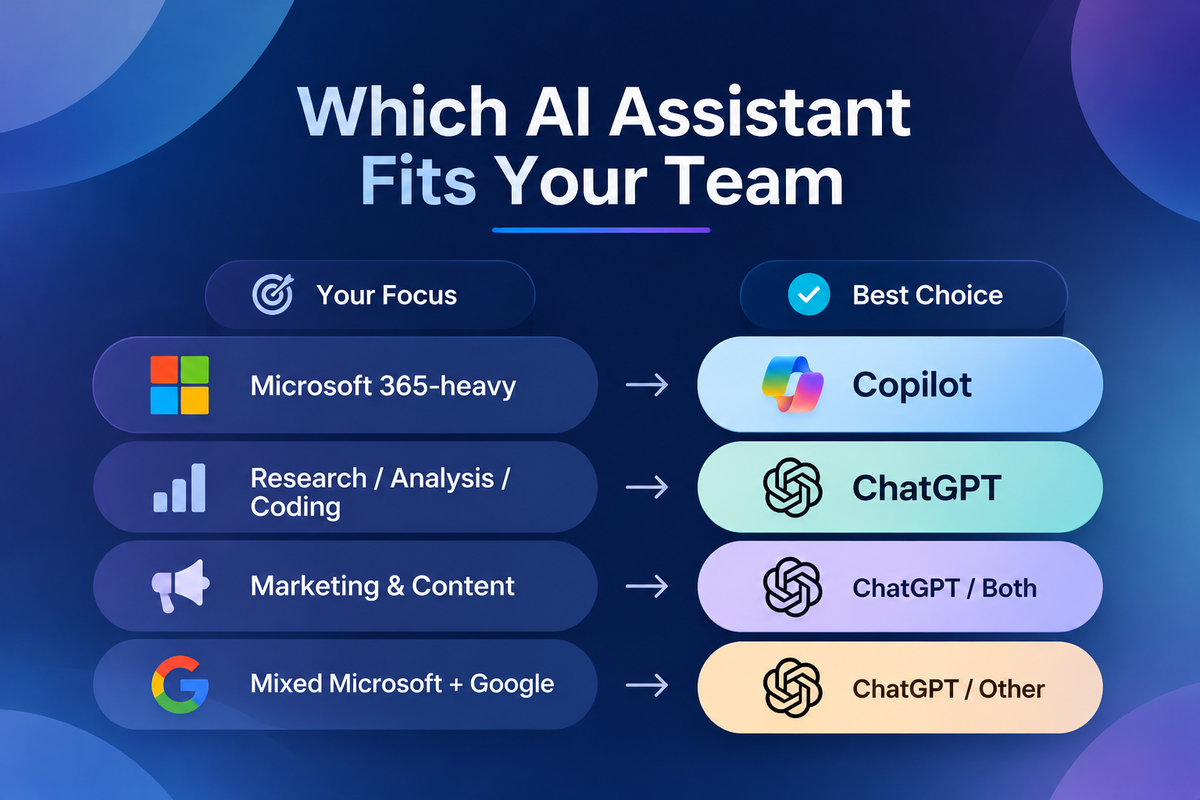
Is Copilot better than ChatGPT? Neither is better overall, because fit decides. If most of the work happens in Microsoft 365 files, mail and meetings, lean Copilot. If people work across many tools or need a flexible thinking partner, lean ChatGPT.
Microsoft 365-Heavy Teams, Documents and Meetings
Pick: Copilot.
Copilot summarizes Teams meetings, drafts from existing Word and PowerPoint files, and works through long Outlook threads without copying and pasting. It also respects the permissions you already have, so users get answers only from content they're allowed to open. Our guide to real Copilot productivity scenarios at work shows what this looks like day to day.
Research, Analysis and Coding
Pick: ChatGPT.
ChatGPT is stronger as a standalone workspace for open-ended research, analysis of uploaded data files, and code help across languages. Copilot can do some of this too, but it is built around Microsoft 365 content, not open exploration.
Marketing and Content Teams
Pick: Usually ChatGPT, or both.
Ideation, long-form drafting and custom GPTs tuned to a brand voice suit ChatGPT well. Copilot earns its place when the final assets live in Word, PowerPoint and SharePoint and need to draw on approved company material.
Regulated Industries
Pick: Decide by governance fit, not by brand.
If your compliance tooling, retention and eDiscovery already run through Microsoft Purview, Copilot inherits that setup. ChatGPT Enterprise can also meet strict requirements, but it adds a second system for your security team to review and monitor. In either case, involve security and legal teams before you buy, and confirm your regulatory obligations with them, not with a vendor's marketing page.
Mixed Microsoft and Google Environments
Pick: ChatGPT, or put a third option on the shortlist (see below).
Copilot's main advantage depends on Microsoft 365 content. If half of your documents sit in Google Drive, that advantage shrinks quickly.
When Running Both Makes Sense
Pick: Copilot for broad knowledge workers in Microsoft 365, plus ChatGPT seats for analysts, developers and content specialists.
Licensing by role usually beats forcing one tool on everyone. Some companies take a third route and build a private assistant, such as Centric's Azure OpenAI chatbot trained on company content, for specific knowledge-base or support use cases.
If your teams split across these use cases, a short scoping conversation can map which roles need which license.
Improve Your Business with AI Today!
Security and Data Handling: Which Is Safer?
Neither tool is safer because of the brand. Safety depends on the plan you buy and how you configure it. Consumer tiers and business tiers carry different data commitments, so your first control is making sure staff use the business tier and not personal accounts.

What Each Business Tier Commits To
- Microsoft 365 Copilot: According to Microsoft's data, privacy and security documentation for Microsoft 365 Copilot, prompts and responses are not used to train foundation models. Processing stays within the Microsoft 365 service boundary, and Copilot respects your existing permissions, sensitivity labels and retention policies. The EU Data Boundary applies where relevant.
- ChatGPT Business and Enterprise: OpenAI's enterprise privacy commitments state that business data is not used for training by default and is encrypted at rest and in transit. Enterprise adds SAML SSO, SOC 2 Type 2 attestation and admin-controlled data retention.
The Oversharing Problem Copilot Exposes
Copilot can surface anything a user already has access to. That sounds safe until you look at how many SharePoint sites, Teams and OneDrive files are shared with "Everyone" or other broad groups. A salary spreadsheet left in an open HR folder, for example, was always technically reachable. With Copilot, a plain-language question can find it in seconds.
Fix this before rollout. Audit permissions, remove "Everyone except external users" access on sensitive sites, apply sensitivity labels and review old sharing links. If your team needs a starting point, our walkthrough on auditing SharePoint site permissions covers the mechanics.
ChatGPT doesn't have this particular problem, because it can't see your tenant unless you connect it. Its risks are what people upload and staff using personal accounts outside your controls.
For a deeper look at running OpenAI models inside your own Azure tenant, compare ChatGPT and Azure OpenAI for business use.
Where Each Tool Falls Short
- Both tools have real limits, and buyers should weigh them before signing.
- Copilot's drawbacks:
- It requires a qualifying Microsoft 365 license plus a per-seat add-on.
- Its value is uneven outside Microsoft apps.
- Answers are only as good as the underlying files, so outdated or duplicated documents produce weak results.
- Governance work has to come before rollout, not after.
- Users who expect the polish of marketing demos get frustrated when nobody trains them to prompt with real work context.
- ChatGPT's limits:
- It is a separate system to license, secure and support.
- It needs connectors or integration work to reach company data.
- Shadow use of personal accounts becomes a risk if you don't provide the business tier.
- It is less useful for work that lives entirely in Outlook and Teams.
Copilot Pro, ChatGPT Plus and When Gemini Belongs on the Shortlist
Copilot Pro and ChatGPT Plus are individual monthly plans for personal use. In a Copilot Pro vs ChatGPT Plus comparison, both lack the tenant controls, admin consoles and business data commitments covered above. Business buyers should compare the business tiers instead.
A three-way Copilot vs ChatGPT vs Gemini shortlist makes sense when your company runs on Google Workspace. In Gmail, Docs and Drive, Gemini plays the role Copilot plays in Microsoft 365, working inside the apps people already use. If that's your environment, see how Gemini and ChatGPT compare.
Features decide fit, but budget decides whether a rollout happens. Here's what each option actually costs.
Pricing and Licensing: What Each Option Really Costs
The seat price is the smallest part of the decision. Total cost depends on the base license you already hold, the billing terms and the rollout work around the tool.
Seat Prices and License Prerequisites
Last checked: November 18, 2026
|
Plan |
Price per user/month |
Billing |
Prerequisite / minimum |
Source |
|
Microsoft 365 Copilot (enterprise) |
$30 |
Annual term ($31.50 if billed monthly) |
Qualifying Microsoft 365 or Office 365 plan |
|
|
Microsoft 365 Copilot Business |
$21 |
See Microsoft's plan page for current terms |
Built for smaller organizations; check seat cap and promotion status |
|
|
ChatGPT Business |
$25 monthly / $20 annual |
Monthly or annual |
Minimum seat count set by OpenAI |
|
|
ChatGPT Enterprise |
Quote-based |
Contract |
Through OpenAI sales |
Quoted by OpenAI sales |
A Microsoft 365 Copilot license is an add-on, so the real Microsoft 365 Copilot price per user is your base Microsoft 365 plan plus the Copilot seat. For a company already on Microsoft 365, the add-on is the only new spend. For anyone else, the base plan comes first.
If you're researching ChatGPT Team pricing, note that the Team plan is now sold as ChatGPT Business. ChatGPT Enterprise pricing is not published as a flat rate. ChatGPT Enterprise cost depends on seat volume, contract length and the features you need, so get a written quote before you compare it with Copilot. Custom agents are licensed separately on the Microsoft side, and our breakdown of how Copilot Studio is billed explains that model.
Hidden Costs Most Budgets Miss
- Permission clean-up and data hygiene before rollout.
- Training and adoption support, because untrained users drive low usage.
- Governance setup: policies, sensitivity labels and monitoring.
- Unused seats, which you can track through usage reports.
- Integration or connector work to bring company data into ChatGPT.
Is Copilot Worth It?
Copilot is worth it when a role spends most of its day in Microsoft 365 documents, mail and meetings, and you can measure the time saved. It is a weaker buy for occasional users who open Word twice a week. When you look at Copilot pricing against real usage, licensing by role is often cheaper than giving everyone both tools or forcing one tool on everyone. If you want help sizing a Copilot rollout by role, start with the roles that already live in Outlook and Teams.
How to Choose: A Checklist and a 6-8 Week Pilot Plan
Don't decide from demos. Answer four questions first, then prove value with a small, measured pilot.
Four Questions to Answer First
- Where does the work and data live: Microsoft 365, Google Workspace or line-of-business apps?
- Are your permissions and file hygiene ready for an assistant that can see everything a user can?
- Which governance stack will own AI policy?
- Who will train and support users?
Running the Pilot
This is the pilot structure Centric recommends:
- Pick 25-50 users across 2-3 roles.
- Define 5-10 repeatable tasks per role and record a baseline time for each.
- Run for 6-8 weeks, with training in week 1.
- Track weekly active use, time saved per task and user satisfaction.
- Have IT, security and a business owner review the results, then decide which roles get which tool.
We use 6-8 weeks instead of 30 days because usage needs time to settle after the novelty wears off. For the wider rollout steps, follow a step-by-step Copilot implementation plan.
Mistakes to Avoid
- Buying seats before cleaning up permissions, which turns oversharing into a live risk on day one.
- Rolling out with no training, which leaves expensive licenses idle.
- Judging on one-off demos instead of measured, repeatable tasks.
- Centric can help you design and run a Copilot or ChatGPT pilot with clear success measures.
Frequently Asked Questions
Is ChatGPT or Copilot safer?
Neither is safer by default, and both business tiers commit not to train on your data. Copilot inherits your Microsoft 365 permissions and compliance tools, while ChatGPT Enterprise brings its own admin and retention controls. The larger risks are employees on consumer accounts and over-shared SharePoint content.
What are the disadvantages of Copilot?
Copilot needs a qualifying Microsoft 365 license plus a per-seat add-on, and it delivers most of its value inside Microsoft apps. It can also surface over-shared files if permissions aren't cleaned up first.
Why don't people like Copilot?
Most complaints trace back to expectations set by polished demos, rollouts without training, and answers drawn from messy or outdated files. Teams that tidy their data and train users first tend to have a much better experience.
Does Copilot use ChatGPT?
Copilot uses OpenAI models, not the ChatGPT product, alongside models from other providers. What sets it apart is that it grounds answers in your Microsoft 365 data.
Is there an enterprise version of ChatGPT?
Yes. ChatGPT Enterprise adds admin controls, SSO, data retention settings and enterprise data commitments, and it is priced by quote through OpenAI sales.
Conclusion: Choosing Between Copilot and ChatGPT
The copilot vs chatgpt decision comes down to where your work lives. Copilot suits teams centered on Microsoft 365 documents, email and meetings. ChatGPT suits flexible, cross-tool work such as research, analysis and coding. Many organizations get the best value by licensing both by role.
Security depends on the plan you buy and how you configure it, not on the brand. Total cost goes beyond the seat price to include permission clean-up, governance and training. When you're ready to test the decision with real tasks and real users, Centric can help you plan a measured pilot.