





What Is SharePoint Document Management? It helps businesses store, organize, and secure files in one central system. It removes the risks of scattered documents, email attachments, and uncontrolled access.
SharePoint is a powerful platform used by organizations to manage documents with structure, security, and real-time collaboration. It allows teams to upload files, control access, track versions, and work together from anywhere.
It replaces outdated file servers with a modern, cloud-driven workspace. Businesses use it to improve productivity, protect sensitive data, and maintain full control over content.
With the right strategy, SharePoint becomes more than just storage. It becomes a complete digital document system. This is where Centric supports organizations with expert SharePoint consulting and implementation.
In this guide, you will learn how SharePoint document management works, its features, benefits, real use cases, and best practices for businesses.
What Is SharePoint Document Management?
SharePoint document management is a digital way to store, organize and manage business files in one secure place. It helps teams keep documents safe and easy to access. It removes the problem of scattered files and lost data.

A SharePoint document management system gives full control over who can view edit or share documents. It keeps a record of every change. It protects sensitive files. Teams always work on the latest version.
Using SharePoint for document management helps businesses work faster and smarter. Employees can access files anytime. Managers can control data easily. Collaboration becomes simple and secure.
SharePoint as a Centralized Document Repository
SharePoint stores all documents in one controlled digital space. Every file follows the same rules. Document libraries are used to group related files. Folder structures help keep content organized. Understanding what is a SharePoint site collection helps businesses manage multiple libraries and sites under one secure structure.
How SharePoint Replaces Traditional File Storage?
Traditional file storage depends on local drives and shared folders, and emails. These methods cause confusion. Files get duplicated. Versions get lost. Security remains weak. SharePoint replaces these systems with one secure platform. It tracks every change. It keeps control in one place.
Explore Our SharePoint Document Management Services!
5 Core Features of SharePoint Document Management
SharePoint document management provides a set of powerful tools that help businesses control documents with ease. It supports secure storage smart access and smooth collaboration across teams. The following are the core features that make SharePoint a strong document platform for modern businesses.
1. Document Libraries
Document libraries are used to store files in SharePoint. Each library holds documents of one type or purpose. Files remain structured inside the system. Teams use libraries to separate reports from records and policies from daily work. Libraries help keep work clean and organized.
2. Metadata and Document Tagging
Metadata adds extra details to each document. It helps users find files faster. It improves search accuracy. It allows filtering by type or date or owner. Metadata also supports automation. Workflows run based on document values.
3. Version Control
Version control saves every change made to a file. Older versions remain available. Users can restore past versions easily. It prevents file overwrite issues. It keeps a clear record of document updates at all times.
4. Permission Management and Security
Permissions control who can view files. They control who can edit files. They control who can share files. Groups are used to manage access. Sensitive data stays protected. Only approved users get entry.
5. Integration with Microsoft 365 Tools
SharePoint connects with Outlook for file sharing. It connects with Teams for live work. It connects with OneDrive for file sync, helping users understand how to sync SharePoint to File Explorer for offline and desktop-based access. It connects with Power Automate for workflows. It connects with Excel for data use.
Explore Our SharePoint On-Premises Intranet Solutions!
How SharePoint Document Management Works?
SharePoint document management controls how files move inside the system from upload to storage to access to sharing. Each document follows a clear path through a SharePoint workflow. Every step stays secure. Every action is tracked.
A Microsoft document management system helps users manage files without confusion. Upload stays simple. Search stays fast. Access stays controlled. Workflows keep work moving.
A document management system, SharePoint, supports daily business tasks with speed and safety. It reduces risk. It improves teamwork. It keeps data under full control.
1. Uploading and Organizing Documents
-
Users upload documents into libraries using simple, secure upload methods.
-
Folders organize files by project team or department clearly today.
-
Metadata assigns meaning to each file for faster future retrieval.
2. Searching and Retrieving Files
-
Users search for documents using keywords to locate required files quickly.
-
Filters narrow results based on type, date, or ownership fields.
-
Metadata-powered search improves accuracy and reduces wasted user time.
3. Collaborating on Documents in Real Time
-
Multiple users edit the same document at the same time.
-
Comments allow teams to share feedback directly within documents now.
-
Notifications alert members whenever important document changes are completed instantly through Microsoft Teams SharePoint integration.
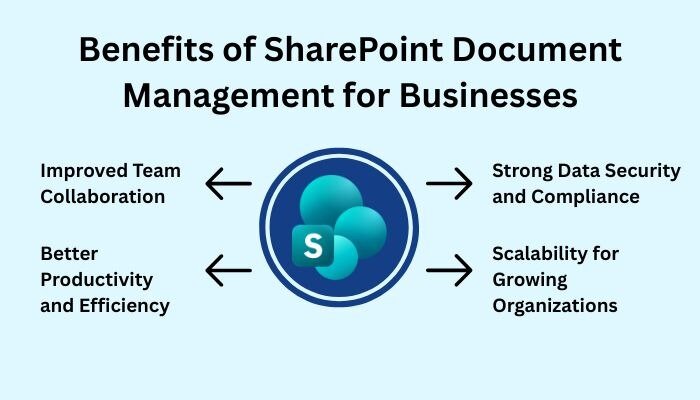
3 Major Benefits of SharePoint Document Management for Businesses
SharePoint document management helps businesses control documents with better speed and safety. It improves how teams store files. It improves how they access information. It improves how they protect business data.
It also supports SharePoint records management for long-term storage and compliance needs. It keeps records safe. It keeps records traceable. It supports audits and legal policies.
Many companies use intranet document management through SharePoint to centralize internal knowledge. Employees find files faster. Managers control content easily. Operations stay organized.
1. Improved Team Collaboration
-
Teams share documents from one secure location without access confusion.
-
Live editing allows multiple users to update files at the same time.
-
Shared access reduces delays and removes dependency on manual file sharing.
2. Strong Data Security and Compliance
-
Audit trails track every document action inside the system clearly.
-
Compliance policies control how long documents stay active or archived.
-
Regulatory support helps businesses meet legal and industry data standards. supported further by SharePoint backup for data recovery and risk protection.
3. Better Productivity and Efficiency
-
Automation reduces manual document handling across daily business operations.
-
Faster document access saves time for employees across all departments.
-
Workflow tools move approval tasks without repeated emails or follow-ups.
Scalability for Growing Organizations
-
SharePoint grows easily with increasing document storage needs over time.
-
User access expands smoothly as teams and departments increase in size.
-
System performance remains stable even with rising business data volumes.
Explore Our SharePoint Document & Content Management Services!
SharePoint Document Management Use Cases
SharePoint is used across many business departments for daily document control. It helps teams manage files with speed and safety. It supports structured access and clear ownership at every level using SharePoint pages to organize content and guide users.
1. HR Document Management
-
Store employee records in a secure digital location
-
Manage onboarding files with full access control
-
Share company policies with approved staff easily
-
Protect private HR data from unauthorized users
2. Legal and Compliance Documentation
-
Store contracts in a protected document environment
-
Track every legal document version change clearly
-
Keep full audit readiness for inspections and reviews
-
Reduce legal risks through controlled document access

3. Finance and Accounting Files
-
Store invoices securely in a controlled file system
-
Protect financial reports from unauthorized changes
-
Speed up approval workflows for billing operations
-
Restrict access to sensitive accounting documents
4. Project and Operations Management
-
Store all project files in one shared workspace
-
Maintain SOP documents for daily operational tasks
-
Track task documentation for each project phase
-
Keep approval records visible for progress tracking
SharePoint Online vs SharePoint On-Premise for Document Management
SharePoint document management offers flexible deployment options for different business needs. Companies can choose cloud-based systems or internal server setups based on control and access needs. Discussions around Power Pages vs SharePoint often arise when deciding between public-facing experiences and internal document control.
Many businesses use Office 365 document management to access files from anywhere with full cloud support. Others rely on internal networks for strict control. A SharePoint content management system supports both models with strong security and performance.
1. SharePoint Online for Cloud-Based Operations
-
Users can access documents from any approved device easily.
-
Updates install automatically without manual system maintenance.
-
Remote teams work safely through secure cloud access daily.
2. SharePoint On-Premise for Internal Networks
-
Data stays inside the company network for full control.
-
Industries with strict rules prefer internal document systems.
-
Security teams manage access through local servers directly.
3. Hybrid SharePoint Document Management
-
Some businesses use both cloud and local systems together.
-
Critical data stays internal while teams work through cloud access.
-
This method supports flexibility and strong data security together.
Explore Our SharePoint Advanced Features & Innovation Services!
4 Best Practices for SharePoint Document Management
SharePoint document management works best when clear rules guide document handling. Good structure improves speed and safety. Poor setup creates confusion and data risk. Strong planning improves daily system performance.
A SharePoint document management system needs clear user roles and content ownership. It must support business goals. A strong SharePoint DMS reduces errors and supports smooth operations.
1. Structuring Document Libraries Properly
-
Create libraries based on business function, not file type.
-
Use clear naming rules for every document group.
-
Separate content by department and business purpose.
2. Using Metadata Instead of Deep Folder Structures
-
Metadata helps users find files quickly.
-
Search results become accurate and faster.
-
Automation works better with metadata values.
3. Setting Proper Permissions and Governance
-
Set access based on user role and responsibility.
-
Limit sharing to avoid unwanted data exposure.
-
Review permissions regularly to prevent security gaps.
4. Automating Workflows for Document Approvals
-
Automation moves files without manual handover steps.
-
Approvals happen faster inside controlled processes.
-
Errors are reduced through rule-based document routing.
3 Common Challenges in SharePoint Document Management
SharePoint document management can fail when the setup lacks planning and structure. Many businesses rush deployment without clear rules. This creates confusion and weak performance. Expert setup helps avoid these risks and supports long-term system success.
1. Poor Information Architecture
-
Poor structure makes documents hard to find.
-
Users waste time searching for the correct files.
-
System adoption becomes slow and frustrating.
2. User Adoption Issues
-
Users struggle when training is missing.
-
Complex layouts reduce daily system usage.
-
Teams return to old storage habits quickly.
3. Security Misconfigurations
-
Too much access exposes sensitive business data.
-
Wrong permission settings create security weaknesses.
-
Data leaks increase business risk and legal trouble.
Explore Our SharePoint Consulting Services!
How SharePoint Supports Compliance and Records Management?
SharePoint document management helps businesses meet legal and industry rules with confidence. It controls how documents are stored and kept over time. It protects sensitive records. It supports trusted audit practices.
Many regulated industries rely on using SharePoint for document management to meet strict data rules. It works as a secure form of Microsoft document management for daily operations and long-term record safety.
1. Retention Policies and Audit Logs
-
Retention policies control how long documents stay active.
-
Audit logs track every file action across the system.
-
Document history remains clear and easy to verify.
2. Legal Holds and Regulatory Compliance
-
Legal holds prevent document deletion during investigations.
-
Regulatory rules remain enforced through system controls.
-
Audits become simple through full document activity records.
Frequently Asked Questions
What is SharePoint document management used for?
SharePoint document management is used to store, organize, and control business documents in one secure system. It helps teams collaborate safely. It tracks every document version. It protects sensitive data. It improves productivity and keeps all files accessible from approved devices.
Is SharePoint suitable for small businesses?
Yes, SharePoint document management works very well for small businesses. It offers secure storage at a low cost. It scales as the business grows. Teams manage files easily. Automation reduces manual tasks. Data stays protected without the need for complex technical management.
How secure is SharePoint document management?
SharePoint document management offers strong security controls for business data. It uses user permissions and encryption. Audit logs track activity. Retention policies control data life cycles. Legal holds protect critical files. This makes it suitable for regulated industries and high-risk environments.
Can SharePoint replace traditional file storage systems?
Yes, SharePoint document management can fully replace local drives and shared folders. It removes file duplication issues. It prevents version conflicts. It improves search speed. It allows real-time collaboration. It provides better security and access control than traditional storage systems.
Conclusion
What Is SharePoint Document Management? It gives businesses full control over files and records. It improves security and teamwork, and daily productivity across every department.
It helps teams store documents safely. It helps users find files faster. It protects sensitive business data. It supports automation and long-term scalability. Businesses gain better structure and stronger system performance through proper document control.
With expert support from Centric, businesses can implement SharePoint with confidence and clarity. The right setup reduces risk and improves output. A strong document system builds a stronger digital business foundation.





