





Want to know how to improve SEO on WordPress? You are in the right place. SEO plays a key role in how your website appears on search engines and how easily users can find your content. Strong SEO helps search engines understand your content and rank it for the right keywords. This leads to more organic traffic, stronger visibility, and higher chances of converting visitors into customers. When you improve SEO on WordPress, you improve both traffic quality and search rankings. A properly optimized site ranks higher on search engine results pages. This brings consistent visitors who are actively searching for your services or information.
SEO also improves the overall user experience. Visitors find your site faster. Pages load better. Navigation becomes smoother. These factors reduce bounce rates and increase engagement, which search engines use as ranking signals. In this guide, you will learn the most effective strategies to improve SEO on WordPress. Whether you are just starting or already managing an active site, these steps will help you gain better rankings, grow traffic, and strengthen your online presence.
10 Steps to Improve SEO on WordPress
Improving SEO on WordPress involves several key strategies to enhance site visibility, speed, and user experience. Using SEO ranking report software can help you track your SEO progress and understand how your WordPress site ranks over time.
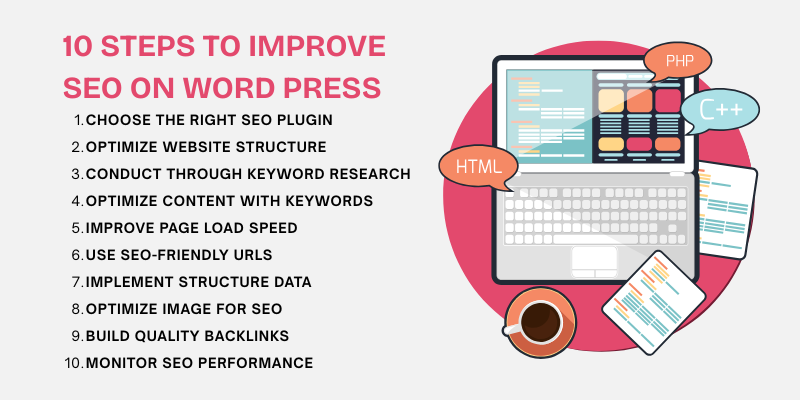
Here are the 10 steps to help you optimize your WordPress site and boost search engine rankings:
1. Choose the Right SEO Plugin for WordPress
Choosing the right SEO plugin is one of the first and most important steps when improving SEO on WordPress.
A good plugin helps you control title tags, meta descriptions, site maps, and page analysis from one central dashboard. It also guides you while writing content so your pages follow proper SEO rules.
Key features to look for in an SEO plugin include:
- Easy setup and user-friendly interface
- On-page SEO analysis with real-time suggestions
- XML sitemap generation for better indexing
- Control over meta titles and descriptions
- Schema and structured data support
- Integration with Google Search Console
- Regular updates and strong security support
The right SEO plugin saves time and reduces manual work. It helps you fix technical issues early and keeps your WordPress site aligned with search engine rules. By choosing a reliable plugin, you build a strong foundation for long-term search visibility and steady organic growth.
2. Optimize Your Website's Structure
Optimizing your website structure improves both user experience and SEO. A clear structure helps visitors move through your site with ease. It also helps search engines crawl and index your pages faster.
Key elements to optimize your website structure include:
- Website Speed: Fast-loading websites keep users engaged and reduce bounce rates. Speed also impacts search rankings. Use caching. Optimize images. Minify CSS and JavaScript files.
- Responsive Design: A responsive design ensures your WordPress site works well on all screen sizes. This includes desktops, tablets, and mobiles. It improves usability and supports better SEO performance.
- Mobile Optimization: Mobile optimization is critical for rankings. Google uses mobile-first indexing. This means your mobile site version is the primary version used for ranking and indexing.
A well-optimized structure improves site performance, boosts user engagement, and helps your WordPress site rank higher in search results.
3. Conduct Thorough Keyword Research
Keyword research is the base of every successful SEO strategy. It helps you understand what users search for. It also helps you create content that matches their needs and intent. When you target the right keywords, your WordPress site attracts the right audience.
To find strong and relevant keywords, use trusted keyword research tools. These tools show search volume, competition, and trends. You can also reply on Google keyword ranking to identify how your keywords are performing in real-time.
- Google Keyword Planner: A free tool that helps you find keywords related to your business. It shows search volume, competition, and trends.
- Ahrefs: A premium tool that shows keyword difficulty, search volume, and traffic potential. It also helps you study competitor keywords.
- SEMrush: A powerful tool for tracking rankings and finding new keyword ideas. It also helps with competitor analysis.
Long-tail keywords are longer and more specific phrases. They have lower competition and higher conversion potential.
- Focus on User Intent: Long-tail keywords show clear intent. Example: “best SEO plugin for WordPress 2025”.
- Use Question-Based Keywords: Many long-tail keywords are questions. Example: “how to improve SEO on WordPress”.
- Leverage Keyword Tools: Use tools to find long-tail keyword ideas for blog posts and niche topics.
Strong keyword research helps your content rank better. It also brings traffic that converts and stays longer on your site.
4. Optimize Content with Keywords
Optimizing your content with the right keywords helps your WordPress site rank higher and stay user-friendly. When used correctly, keywords guide search engines and improve content visibility without harming readability.
Here’s how to effectively optimize your content:
- Headings: Place your target keyword in the main headings (H1, H2) to help search engines understand the topic of the page. Ensure the headings are clear and relevant to the content. For example, if your target keyword is "how to improve SEO on WordPress," an H2 heading like "Essential Tips on How to Improve SEO on WordPress" works well.
- Body Content: Incorporate your keywords naturally within the body text. Avoid keyword stuffing, which can negatively impact readability and SEO. Instead, use your keywords in a way that flows smoothly with the content. Aim for a natural and informative tone, and ensure the keywords make sense in context.
- Meta Descriptions: The meta description is a short summary that appears in search engine results. Include your target keyword in the meta description to improve click-through rates. Ensure that it’s concise, under 160 characters, and compelling to entice users to click.
LSI keywords support your main keyword by adding context. They help search engines understand your topic better and improve content depth.
For example, if your main keyword is “SEO for WordPress”, related LSI terms may include: “WordPress SEO plugins”, “improve website rankings”, and “optimize WordPress site”.
Using LSI keywords makes your content stronger and improves topical relevance.
5. Improve Page Load Speed
Page load speed is a critical factor for both user experience and SEO. Slow websites can lead to higher bounce rates, lower user engagement, and a negative impact on your rankings.
To improve your WordPress website’s load speed, consider the following tips:
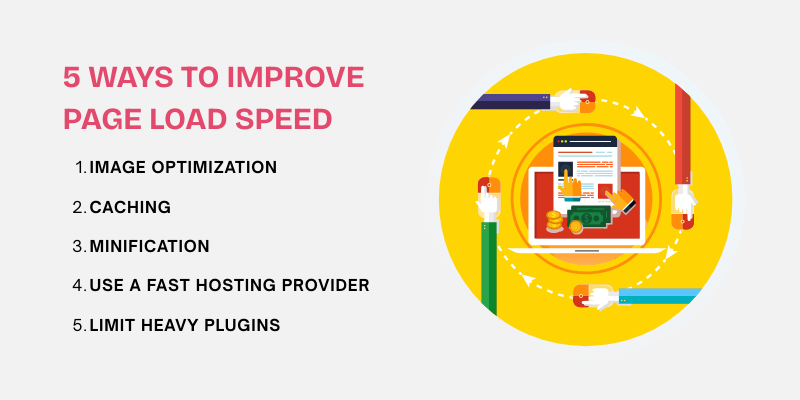
- Image Optimization: Large images slow down your site. Compress images without losing quality. Use WebP or JPEG formats. Image optimization plugins can auto-compress files during upload.
- Caching: Caching stores page copies for faster loading. It reduces server load and speeds up repeat visits. A caching plugin serves saved pages instead of generating them again.
- Minification: Minification removes extra spaces and code from CSS, JavaScript, and HTML files. This reduces file size and improves load speed. It also helps pages render faster.
- Use a Fast Hosting Provider: Your hosting provider has a direct impact on how fast your website loads. A slow server increases page load time and hurts user experience. It also affects SEO rankings because search engines prefer fast websites.
- Limit Heavy Plugins: Too many plugins slow down your WordPress site. Some plugins load extra scripts and database queries on every page. This increases load time and server usage. Unused plugins also create security risks.
A fast WordPress site improves rankings, boosts user satisfaction, and increases engagement and conversions. To ensure this, use best SEO reporting software to track performance metrics, including page load speed, helping you optimize areas that need improvement.
Explore Our Onsite & Technical SEO Services!

6. Use SEO-Friendly URLs
SEO-friendly URLs help search engines understand your content. They also improve user trust and click rates. Clean and readable URLs make your WordPress site easier to scan and share.
Best practices for creating SEO-friendly URLs:
- Choose Descriptive URLs: Keep URLs short and clear. They should describe the page content.
- Use Hyphens to Separate Words: Always use hyphens instead of underscores. Search engines read hyphens as spaces. This improves readability and SEO.
- Avoid Special Characters and Numbers: Do not use symbols like &, %, or #. Avoid random numbers. Use clear words that show page purpose.
Moreover, default WordPress URLs use numbers that give no context. Descriptive slugs show users and search engines what the page is about.
7. Implement Structured Data and Schema Markup
Structured data is a standardized format for providing information about a page and classifying its content. It helps search engines better understand the context of your website’s content, allowing them to display rich snippets in search results. Rich snippets can include additional information like star ratings, images, prices, and event details, making your site stand out and increasing the likelihood of click-throughs.
By implementing structured data, you give search engines clear signals about the type of content on your pages (e.g., articles, products, events). This enhanced visibility can boost your rankings, as search engines are more likely to display content with rich snippets in their search results.
8. Optimize Your WordPress Images
Image optimization is essential for site speed and SEO. If your WordPress site deals with niche industries, like an oil and gas marketing agency, optimizing images for speed can greatly enhance your site's user experience and search ranking. Large image files slow down your website. Slow pages increase bounce rates and hurt rankings.
Here’s how to effectively optimize your images:
- Smush: Smush is a popular image optimization plugin that automatically compresses images when uploaded to WordPress. It also offers features like lazy loading, bulk image optimization, and image resizing to help improve page load times.
- EWWW Image Optimizer: This plugin automatically optimizes your images by compressing them without losing quality. It supports a wide range of image formats and offers options for both lossy and lossless compression.
- Imagify: Imagify is another great tool that reduces image file sizes while maintaining high image quality. It supports automatic optimization during image uploads and allows for bulk optimization across your media library.
- ShortPixel: ShortPixel is a powerful plugin that compresses and optimizes images for faster load times. It offers both lossy and lossless compression, and can convert images to WebP format, which is more efficient for web use.
Optimized images improve page speed. They improve SEO scores. They also create a smoother browsing experience for users.
9. Create Quality Backlinks
Backlinks are one of the strongest ranking signals in SEO. When building backlinks for your site, especially if you're running a single page website SEO, it’s crucial to target high-quality sources for maximum impact.
They act as trust signals for top search engines. When reputable websites link to your content, it shows that your site is reliable and valuable. Strong backlinks improve domain authority. They increase rankings. They also drive organic traffic to your WordPress site.
How to build quality backlinks for your Wordpress site:
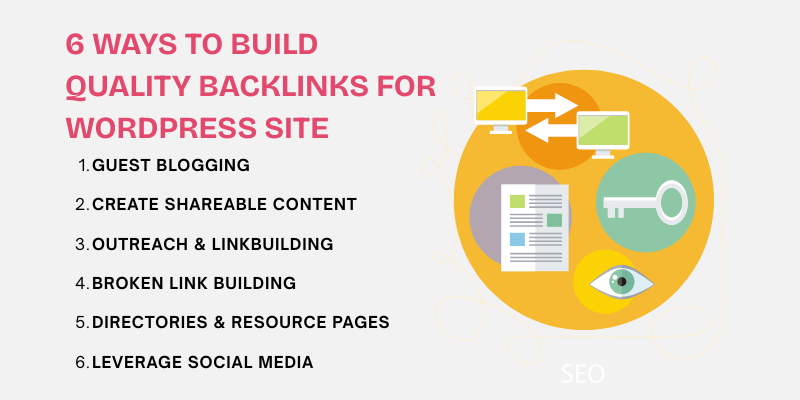
- Guest Blogging: Write useful content for blogs in your niche. Add relevant links to your WordPress site in the content or author bio.
- Create Shareable Content: Publish guides. Research posts. Infographics. Helpful content earns natural backlinks.
- Outreach and Link Building: Contact bloggers and website owners in your industry. Offer value before asking for links.
- Broken Link Building: Find broken links using Ahrefs or Screaming Frog. Suggest your content as a replacement.
- Submit to Directories and Resource Pages: Use only trusted and niche-relevant directories. Avoid low-quality listings.
- Leverage Social Media: Share content often. Engage with industry pages. Social sharing leads to indirect link growth.
Quality backlinks strengthen authority. They boost rankings. They bring steady organic traffic to your WordPress site.
10. Monitor Your SEO Performance
Monitoring your SEO performance using tools like Google Analytics and Google Search Console helps track progress and identify areas for improvement. For example, if your site encounters issues such as a 503 status code, it’s essential to address this error promptly as it can severely impact your rankings and user experience.
- Google Analytics: Track organic traffic to see how many visitors come from search engines. You can also monitor user behavior, such as bounce rates, time on page, and conversion rates, to gauge the effectiveness of your SEO efforts.
- Google Search Console: Use this tool to track your site's performance in search results. It shows data on search queries, impressions, clicks, and average position. It also alerts you to technical issues, such as crawl errors, which can impact SEO.
Here are some of the key metrics to monitor SEO performance.
- Organic Traffic: Track the number of visitors coming from search engines. A steady increase indicates that your SEO strategies are working.
- Click-Through Rate (CTR): Measure the percentage of search impressions that result in clicks. A higher CTR suggests your meta descriptions and titles are appealing to users.
- Keyword Rankings: Monitor how your target keywords are performing in search results. Higher rankings typically lead to increased visibility and traffic.
- Bounce Rate: A high bounce rate may indicate that visitors are not finding what they expect, which could affect your rankings.
- Backlinks: Track the number and quality of backlinks pointing to your site. More high-quality backlinks can significantly boost your SEO performance.
- Page Speed: Measure how quickly your pages load. Faster-loading pages improve user experience and are favored by search engines.
Conclusion
Learning how to improve SEO on WordPress is essential for building a website that ranks well and delivers real results. SEO is not a one-time task. It is an ongoing process that helps your site stay visible, competitive, and trusted by search engines. By applying the strategies in this guide, you strengthen your site structure, improve content quality, boost page speed, and grow your backlink profile. Each step plays a direct role in improving rankings, user engagement, and organic traffic growth. Strong WordPress SEO also improves user experience. Visitors find your content faster. Pages load quicker. Navigation becomes easier. These signals help increase time on site and conversions, which further supports long-term ranking success. Start applying these strategies today. If you need expert guidance, Centric, a digital marketing agency, offers tailored solutions to optimize your WordPress SEO. Start applying these strategies today. Track your progress regularly. Small improvements made consistently lead to strong and lasting SEO results for your WordPress website.




