





When considering cloud migration, businesses often explore "how to do lift and shift migration in Azure." This strategy allows companies to move their applications and data from on-premise servers to Azure with minimal changes.
In this guide, we will walk you through the entire process of Lift and Shift migration, from assessing your current infrastructure to post-migration optimization. You’ll learn how to plan, execute, and avoid common pitfalls that could affect your cost and performance.
A structured migration process is essential for businesses to take full advantage of Azure's scalability and cost-efficiency. By following the right steps, companies can achieve faster deployments, reduce operational costs, and maintain business continuity throughout the migration.
Ready to learn how Lift and Shift migration can benefit your business? Let’s dive into the details.
What Is Lift and Shift Migration in Azure?
Lift and shift migration is a cloud migration approach where applications and data are moved to Azure with minimal changes. In this method, existing workloads are "rehosted" without altering their architecture. It's a fast and cost-effective way to transition to the cloud.
This strategy is popular because it offers quick results, reducing the time and effort spent on migration. Businesses can move to the cloud without the need for extensive modifications, making it ideal for those looking to avoid downtime or disruption. The Azure lift and shift migration guide is a helpful resource for organizations wanting to streamline this process.
When compared to other Azure Migration & Modernization strategies, like refactoring and re-platforming, lift and shift requires the least amount of modification. Refactoring involves redesigning applications to make them cloud-native, while re-platforming makes small changes to optimize apps for the cloud. Both of these methods can be more complex and time-consuming than lift and shift.
Why Should You Consider Lift and Shift Migration?
Lift and shift cloud migration with Azure is known for its speed and cost-effectiveness. It allows businesses to quickly move workloads to the cloud without extensive changes. This reduces both the time and resources needed for migration.
The strategy also minimizes disruption during the transition. Since the application remains mostly unchanged, it can continue operating as usual in the cloud. This is crucial for businesses looking to avoid downtime or service interruptions.
Additionally, lift and shift cloud migration with Azure is highly compatible with legacy systems. It allows companies to migrate older applications to the cloud without the need for complete overhauls. This makes it an ideal choice for businesses with outdated infrastructure that need a fast cloud solution.
When is Lift and Shift the Right Choice for Your Business?
Lift and shift migration is not a one-size-fits-all solution. It's crucial to assess your business needs before choosing this approach. While it's fast and cost-effective, it works best in specific situations.
Ideal Scenarios for Lift and Shift Migration
Lift and shift is particularly effective in cases where businesses need quick, straightforward migration without extensive changes to their applications or infrastructure. Here are some ideal scenarios:
-
Legacy systems and applications: Older applications that are difficult or costly to modify can benefit from a lift and shift migration. It allows businesses to transition to the cloud quickly without changing core functionalities.
-
Data centers with high operational costs: Businesses looking to reduce the costs of maintaining on-premise data centers can leverage lift and shift to move to the cloud without a major infrastructure overhaul.
-
Short timelines for migration: If your organization needs to migrate quickly, lift and shift is ideal. It minimizes the complexity and time involved in transitioning to the cloud.
When Lift and Shift May Not Be the Best Fit?
While lift and shift offers a lot of advantages, it may not always be the best strategy for every workload. Consider the following scenarios where this approach may not be suitable:
-
Applications that need cloud-native features: If your application requires cloud-native capabilities like auto-scaling, serverless computing, or advanced storage options, lift and shift might not be the right choice.
-
Projects requiring significant architecture changes: If your project involves re-architecting applications for optimization or modernization, other migration strategies like re-platforming or refactoring might be more suitable.
-
Workloads with performance optimization goals: If you're looking to fully optimize your applications for the cloud, lift and shift may not provide the necessary benefits. You'll need to consider other strategies that better leverage cloud-native tools and features.
Check Our Microsoft Fabric Solution
Step-by-Step Process for Azure Lift and Shift Migration
The Lift and shift cloud migration process requires careful planning and execution to ensure a smooth and successful transition to Azure. Following a structured, step-by-step approach helps minimize risks and ensures cost efficiency.
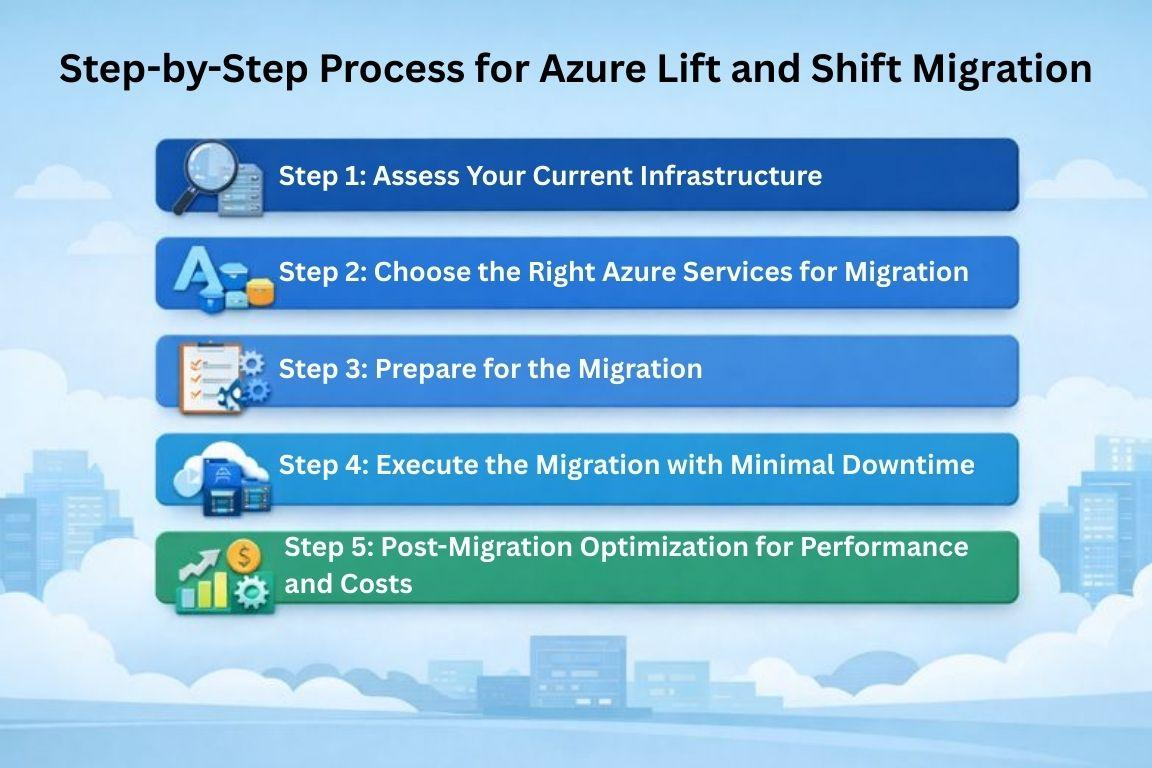
Below are the essential steps for a successful migration.
Step 1: Assess Your Current Infrastructure
Before starting the migration, it's crucial to assess your existing infrastructure. This helps identify workloads that are ready for migration and ensures compatibility with Azure cloud services.
-
Importance of performing a thorough infrastructure assessment: Understand your current on-premise setup and any dependencies between applications and workloads.
-
Tools like Azure Migrate for analyzing existing workloads: Azure Migrate provides a comprehensive assessment tool to analyze your current infrastructure, identify potential issues, and generate cost estimates for running workloads in Azure.
Step 2: Choose the Right Azure Services for Migration
Selecting the right Azure services is key to a successful migration. This step involves choosing the appropriate cloud resources to host your workloads.
-
Azure Virtual Machines (VMs): Azure VMs provide a flexible and scalable environment to host your workloads. They are ideal for running traditional applications.
-
Azure SQL Database / Managed Instances: For database workloads, Azure SQL Database and Managed Instances offer scalable, fully managed solutions for high-performance applications.
-
Azure Blob Storage and Azure App Services: Use Azure Blob Storage for unstructured data and Azure App Services for web and API hosting to ensure seamless application management.
Transform Your Work Azure Cloud Service
Step 3: Prepare for the Migration
Preparation is key to a smooth migration process. Using the right tools and following best practices can minimize issues during the transition.
-
Utilizing Azure Migrate for smooth transition: Azure Migrate helps automate and streamline the migration process, ensuring everything is in place for a seamless transition.
-
Importance of pre-migration testing: Perform testing before migration to detect and fix potential issues, ensuring that the workloads are compatible with Azure and will function as expected.
Step 4: Execute the Migration with Minimal Downtime
Minimizing downtime during migration is critical to ensure business continuity. Careful execution will reduce disruptions and allow the business to continue operating smoothly.
-
Strategies to minimize downtime during the transition: Schedule the migration during off-peak hours and consider phased migration for non-critical applications first.
-
Using Azure Site Recovery and Database Migration Service: These tools help with workflow automation and ensure minimal downtime during the migration of critical workloads.
Step 5: Post-Migration Optimization for Performance and Costs
Once the migration is complete, it's important to optimize the performance and costs of your Azure resources to fully leverage cloud capabilities.
-
Right-sizing Azure VMs: After migration, adjust the size of your VMs based on actual usage to avoid over-provisioning and reduce costs.
-
Implementing auto-scaling features in Azure: Set up auto-scaling to adjust resources dynamically based on demand, ensuring cost efficiency without sacrificing performance.
-
Using Azure Cost Management tools for tracking expenses: Azure’s Cost Management tools help you track and optimize spending post-migration, ensuring that you stay within budget.
4 Benefits of Azure Lift and Shift Migration
The benefits of lift and shift migration in Azure offer a simple, cost-effective approach to transitioning workloads to the cloud.
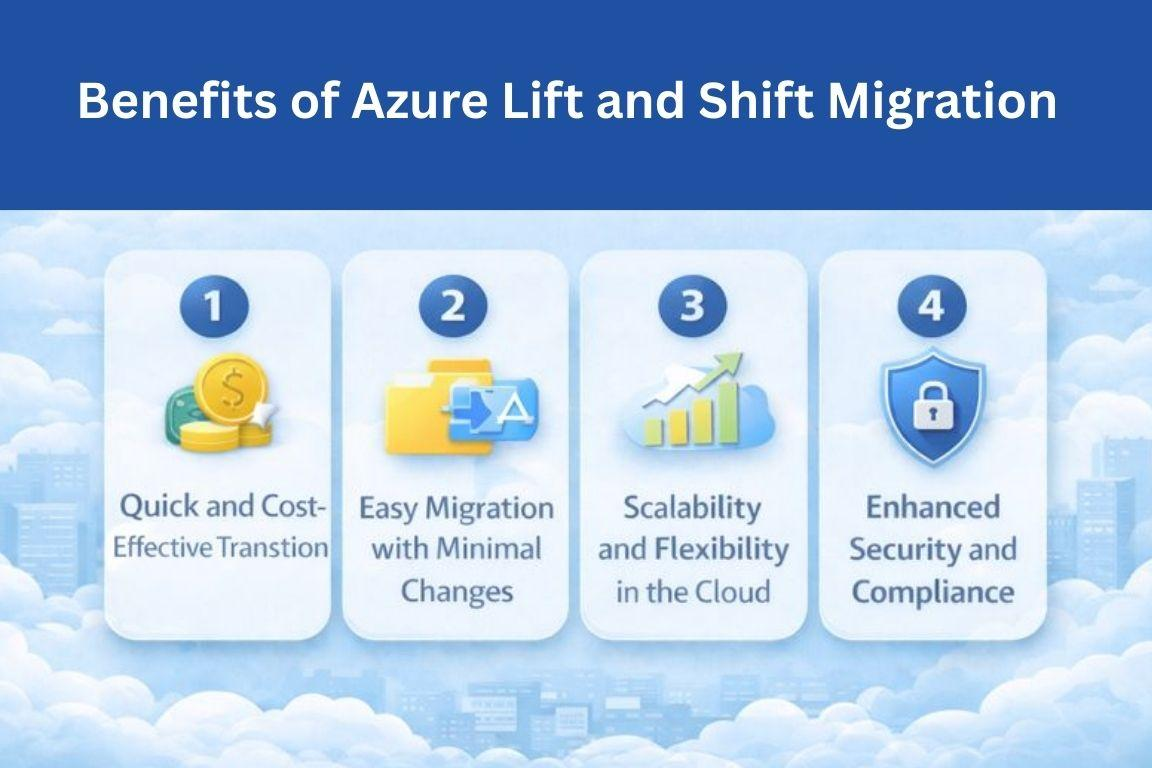
By minimizing the need for application changes, businesses can quickly leverage Azure's scalability, security, and flexibility for long-term success.
1. Quick and Cost-Effective Transition
Lift and shift migration in Azure is a fast, cost-effective way to move to the cloud. It reduces the need for long-term infrastructure investments by eliminating on-premise hardware and using Azure’s pay-as-you-go pricing, allowing businesses to pay only for what they use.
2. Easy Migration with Minimal Changes
Lift and shift migration in Azure allows businesses to migrate without significant changes to applications. This simplicity speeds up the process, reduces downtime, and ensures minimal disruption while moving workloads to Azure. Companies avoid the complexities of redesigning their applications.
3. Scalability and Flexibility in the Cloud
Azure offers significant scalability after lift and shift migration. With auto-scaling capabilities, businesses can adjust resources based on demand. This flexibility ensures that organizations can efficiently manage growing workloads, optimizing both performance and costs as their needs change.
4. Enhanced Security and Compliance
With lift and shift migration in Azure, businesses benefit from Azure’s built-in security tools like Azure Security Center. These tools help safeguard workloads, manage risks, and ensure compliance with regulations such as ISO, HIPAA, and GDPR, securing sensitive data during the transition.

3 Key Challenges of Azure Lift and Shift Migration
While lift and shift migration challenges in Azure offer many benefits, businesses may encounter issues that affect performance, security, and cost-efficiency. These challenges can be mitigated with careful planning, ensuring a smoother transition to the cloud and maximizing Azure's potential.
1. Lack of Optimization for Cloud-Native Features
A major challenge with lift and shift migration in Azure is the lack of optimization for cloud-native features. Applications migrated without modification miss out on benefits like auto-scaling, serverless computing, and advanced storage capabilities, limiting the full potential of Azure's cloud computing environment.
Solutions to this challenge include optimizing applications post-migration by leveraging Azure-native tools like Azure Functions or Azure Kubernetes Service, ensuring they operate more efficiently and take full advantage of Azure’s capabilities for better performance and scalability.
2. Potential Compatibility Issues
Migrating complex or custom-built applications can result in compatibility issues during lift and shift migration in Azure. These applications may have dependencies on specific hardware configurations or on-premise resources, which may not align well with Azure’s cloud infrastructure, causing performance and functionality issues.
To ensure compatibility, businesses should conduct thorough assessments of their applications and infrastructure before migration. Utilizing Azure Migrate tools for pre-migration analysis can help identify potential compatibility issues, allowing for a smoother transition and minimizing disruptions during migration.
3. Over-Provisioning and Cost Overruns
Over-provisioning resources during lift and shift migration in Azure is a common challenge. Without careful planning, businesses may allocate more resources than necessary, leading to higher cloud costs. This inefficiency can negatively impact the budget and reduce the overall value of migration.
To avoid over-provisioning, businesses should right-size their VMs and storage resources based on actual usage. Utilizing Azure’s reserved instances and spot VMs for non-critical workloads can also help optimize costs and prevent unnecessary expenses, ensuring a more cost-effective migration process.
4 Best Practices for a Successful Azure Lift and Shift Migration
Following the Azure cloud migration best practices can help ensure a smooth and successful migration to Azure. By carefully planning and executing each step, businesses can minimize risks, optimize resources, and ensure maximum performance and cost-efficiency in the cloud.
1. Use Azure Migrate for a Detailed Assessment
Before migrating, assessing your current infrastructure is crucial to ensure a smooth transition. Azure cloud migration best practices emphasize this step to identify dependencies and any potential issues that could arise during migration.
Azure Migrate helps businesses assess their existing workloads, offering detailed insights into performance requirements, compatibility, and cost estimates. By using Azure Migrate, businesses can uncover potential issues early and create a migration plan that minimizes risks.
2. Optimize Resource Allocation from Day One
From the start, it’s essential to right-size your VMs and select cost-efficient pricing models. Implementing Azure cloud migration best practices includes carefully allocating resources to avoid over-provisioning, which can lead to unnecessary costs.
Right-sizing VMs ensures that businesses only pay for the resources they actually need. Continuous cost monitoring is also essential to track cloud usage and avoid unexpected expenses, helping businesses maintain their budget throughout the migration process.
3. Secure Your Cloud Environment
Security is a priority in Azure cloud migration best practices. To protect your data and workloads, implementing Azure Security Center for threat detection and ensuring proper security configurations are key.
By enabling role-based access control (RBAC), businesses can restrict access to sensitive resources, minimizing the risk of unauthorized users. These measures help maintain a secure environment, ensuring compliance with security standards.
4. Test Before Full-Scale Migration
Testing is an essential step in Azure cloud migration best practices. Conducting pilot migrations allows businesses to detect issues early and address them before the full-scale migration.
Using staging environments for testing ensures that workloads function properly in the cloud without affecting production systems. This proactive approach helps prevent disruptions and ensures a smoother migration process.
How to Measure Success After Migration?
Measuring the success of your Azure cloud migration best practices after migration is essential to ensure your workloads are performing optimally. Post-migration monitoring, cost optimization, and performance tracking are key to realizing the full benefits of Azure.
Post-Migration Monitoring and Analytics
After migration, it’s crucial to monitor the performance of your workloads in real-time. Azure cloud migration best practices recommend utilizing tools like Azure Monitor and Application Insights to track the health of your applications and infrastructure.
These tools help businesses identify performance issues, monitor system health, and ensure that workloads are operating as expected. Additionally, setting up key performance indicators (KPIs), such as uptime, response time, and resource usage, allows businesses to measure migration success and ensure alignment with cloud performance goals.
Cost Optimization Strategies Post-Migration
Once your workloads are on Azure, tracking usage and minimizing resource wastage is crucial for cost optimization. By leveraging Azure cloud migration best practices, businesses can effectively manage costs and avoid unexpected expenses.
Using Azure Reserved Instances and implementing auto-scaling are powerful cost-saving strategies. Reserved Instances help businesses save money by committing to longer-term resource usage, while auto-scaling ensures resources are only used when necessary, preventing over-provisioning and optimizing costs based on actual demand.
Regularly reviewing resource utilization and adjusting resources will ensure that costs are kept under control post-migration.
FAQs
What is the difference between Lift and Shift and other migration strategies?
Lift and Shift involves rehosting applications without modifying their architecture, whereas strategies like refactoring and re-platforming involve more extensive changes to optimize applications for the cloud. Lift and Shift is faster and less complex, but lacks full cloud-native optimization.
How long does a Lift and Shift migration typically take?
The duration of a Lift and Shift migration depends on factors like the size of the workloads and infrastructure complexity. Generally, it can take anywhere from a few weeks to a few months, with minimal downtime and application modification required.
What are the common risks associated with Lift and Shift migration in Azure?
Common risks include missing out on cloud-native features, over-provisioning resources, and potential compatibility issues with legacy applications. Without proper optimization, businesses might face performance inefficiencies or higher costs. Thorough planning and post-migration monitoring can help mitigate these risks.
Can we migrate all our data to Azure without any code changes?
Yes, Lift and Shift migration allows businesses to migrate their applications and data to Azure without modifying the code. This approach is ideal for organizations looking to quickly transition without rebuilding applications. However, it may not take full advantage of cloud-native features.
How do I optimize costs during the migration process?
To optimize costs during migration, use Azure Reserved Instances for predictable workloads, and implement auto-scaling to adjust resources based on demand. Additionally, track resource usage with Azure Cost Management tools to identify and reduce unnecessary resource allocation throughout the process.
Conclusion
Understanding how to do lift and shift migration in Azure is essential for businesses looking to transition to the cloud efficiently. This migration strategy offers a quick and cost-effective way to move workloads with minimal changes, ensuring minimal disruption during the process.
However, a well-planned migration strategy is crucial to avoid common pitfalls, such as over-provisioning resources or overlooking optimization opportunities.
Centric specializes in guiding businesses through every step of the Azure lift and shift migration process. It ensures that your transition is smooth, cost-efficient, and secure. It’s essential for businesses to assess their specific needs before migrating, ensuring the right strategy and services are in place.
By following a structured migration approach, businesses can maximize Azure's scalability, performance, and cost savings, setting themselves up for long-term success in the cloud.





