





Microsoft Azure is often described as having "limitless potential" and "unlimited possibilities," but what is Azure Cloud actually, and how can it benefit your business?
Azure Cloud, developed by Microsoft, is a leading platform in the world of cloud computing, providing comprehensive solutions for businesses to manage applications and data in the cloud.
With its scalability, security features, and flexible pricing models, Azure enables businesses to optimize resources, enhance performance, and innovate through advanced technologies.
Azure Cloud enables organizations to build, deploy, and scale applications with enhanced flexibility, security, and cost-efficiency.
Since its launch in 2010, Microsoft Azure has continuously evolved, expanding its range of services. Initially focused on infrastructure as a service (IaaS), Azure has grown to include platform as a service (PaaS), software as a service (SaaS), and various advanced technologies such as AI, machine learning, and IoT.
In this guide, we will explore everything you need to know about Azure Cloud, including its benefits, core features, implementation process, and best practices.
What is Azure Cloud?
Azure Cloud, Microsoft's cloud computing platform, offers a comprehensive suite of services to help businesses and individuals build, manage, and deploy applications in Microsoft-managed data centers.
As one of the leading cloud platforms, Azure provides services in various areas, including computing, analytics, storage, networking, and more.
The core Azure Cloud services offers include:
-
Infrastructure as a Service (IaaS): Provides virtual machines, storage, and networking capabilities, allowing businesses to run applications and manage data without needing physical hardware.
-
Platform as a Service (PaaS): Allows developers to build, test, and deploy applications without worrying about underlying infrastructure, making the development process faster and more efficient.
-
Software as a Service (SaaS): Offers cloud-based applications, such as Microsoft 365, that are accessible via the internet without the need for local installation or maintenance.
-
Azure AI and Machine Learning: Provides tools for building and deploying intelligent applications, offering businesses advanced analytics and data processing capabilities.
Azure Storage: A highly scalable solution for storing and managing data, with services like Blob Storage, File Storage, and Disk Storage.
3 Key Benefits of Azure Cloud
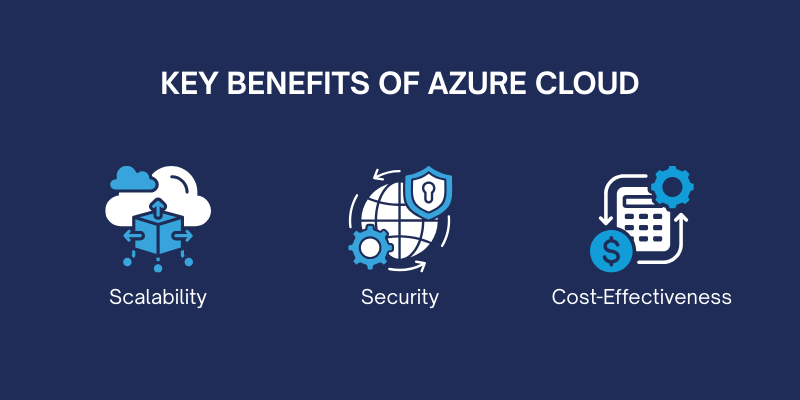
Azure Cloud offers scalability, robust security features, and cost-effective pricing models to help businesses optimize performance, protect data, and manage expenses.
Some of the key benefits include:
1. Scalability
One of the major benefits of Azure Cloud is its ability to scale resources up or down based on demand. Whether it's increasing storage capacity, adding more computing power, or managing data traffic, Azure makes it easy to adjust resources to meet fluctuating business needs. This flexibility ensures that businesses only pay for what they use, optimizing both performance and costs.
2. Security
Azur Cloud is equipped with robust built-in security features to protect sensitive data and applications. These include advanced threat protection, encryption, identity management, and multi-factor authentication. Additionally, Azure complies with a range of industry standards and certifications, such as GDPR, HIPAA, and ISO, ensuring that businesses meet regulatory requirements for data protection and privacy.
3. Cost-Effectiveness
Azure Cloud offers flexible pricing models, including pay-as-you-go, reserved instances, and spot pricing. This means businesses can optimize costs by paying only for the resources they consume. Azure's cost management tools also help monitor and predict spending, enabling businesses to manage their cloud budgets effectively.
Optimize Your Operations with Microsoft Cloud Solutions
3 Azure Cloud Service Models
Azure offers three primary service models Infrastructure as a Service (IaaS), Platform as a Service (PaaS), and Software as a Service (SaaS) to meet varying business needs for scalability, development, and ready-to-use applications.
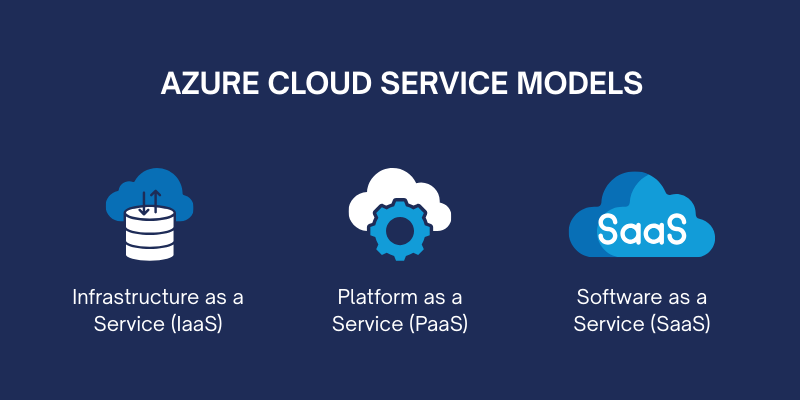
1. Infrastructure as a Service (IaaS)
IaaS is a cloud computing model where Azure provides virtualized computing resources over the internet. With IaaS, businesses can access virtual machines (VMs), networking services, and storage solutions without needing to invest in or manage physical hardware.
Azure's IaaS allows users to deploy and manage applications with a high degree of flexibility, offering the ability to scale resources up or down based on business demand.
This service model is ideal for companies looking to run their own applications, operating systems, and software, while Azure manages the underlying infrastructure and hardware.
2. Platform as a Service (PaaS)
PaaS in Azure offers a platform for developers to build, test, and deploy applications without worrying about the underlying infrastructure.
Azure’s PaaS includes everything developers need to create custom applications, such as hosting, databases, development tools, and middleware.
Azure handles the maintenance of the platform, ensuring scalability, updates, and security, which allows developers to focus solely on writing and improving code.
This service model is best suited for businesses that want to build web applications, mobile apps, or APIs but don't want to manage the underlying hardware or software layers.
3. Software as a Service (SaaS)
SaaS in Azure refers to fully managed, pre-built applications that are accessible over the internet via a subscription model. With SaaS, businesses can leverage applications like
Microsoft 365 (Word, Excel, Teams, and more) directly from the cloud without the need for installation or maintenance. SaaS applications are updated automatically by the provider, ensuring users always have access to the latest features and security patches.
This model is ideal for businesses that need ready-to-use applications for tasks like communication, collaboration, and productivity, without worrying about managing the infrastructure or software updates themselves.
5 Core Features of Azure Cloud
Azure Cloud offers key features such as global reach, scalable compute, versatile storage, robust networking, and advanced AI and machine learning tools for building powerful, intelligent applications.
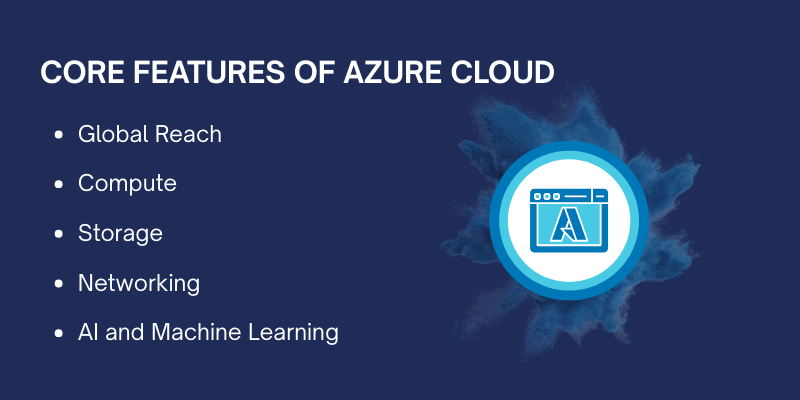
Some of the features of the Azure cloud include
-
Global Reach: Azure operates data centers in over 60 regions worldwide, ensuring high availability, low-latency access, and business continuity, regardless of location.
-
Compute: Azure provides a range of compute services, including virtual machines (VMs), containers, and cloud services, enabling businesses to run applications at scale with flexibility and efficiency.
-
Storage: Azure offers scalable storage solutions such as Blob Storage for unstructured data, File Storage for sharing files across applications, and Disk Storage for virtual machines, ensuring businesses can store and manage data effectively.
-
Networking: Azure includes networking services like Virtual Networks, Load Balancer, and VPN, which allow businesses to ensure reliable, secure, and high-performance connectivity for their cloud infrastructure.
-
AI and Machine Learning: With tools like Azure AI, Cognitive Services, and Azure Machine Learning, Azure enables businesses to build, deploy, and manage intelligent applications that enhance automation, analytics, and decision-making capabilities.
Azure Cloud Security
Azure Cloud provides robust security features, including identity management, data encryption, and regulatory compliance, ensuring data protection and secure access across global cloud environments.
Some of the key elements of cloud security measures are
-
Identity and Access Management: Azure Active Directory (AAD) ensures secure identity management and single sign-on (SSO) for users. Multi-Factor Authentication (MFA) adds an extra layer of security by requiring two or more verification methods. Role-Based Access Control (RBAC) grants specific permissions to users based on roles, limiting access to only necessary resources.
-
Data Encryption: Azure encrypts data in transit using SSL/TLS to protect information as it moves across networks. Data at rest is encrypted using industry-standard AES-256 encryption, ensuring sensitive data is protected in storage. Azure Key Vault securely manages encryption keys, preventing unauthorized access to sensitive data.
-
Compliance: Azure complies with global standards like GDPR, HIPAA, and ISO 27001, ensuring businesses meet regulatory requirements. Regular audits and certifications ensure Azure maintains industry-leading compliance and security standards. Azure provides compliance certifications for various industries, including healthcare, finance, and government sectors, facilitating data security and privacy.
How Azure Cloud Powers Business Transformation?
Azure Cloud enables businesses to be more agile, allowing them to quickly adapt to market changes by scaling resources and deploying new solutions as needed.
With integrated tools like Microsoft Teams, OneDrive, and SharePoint, Azure enhances collaboration, enabling teams to communicate, share documents, and manage projects seamlessly in real time, no matter where they are.
Additionally, Azure offers robust cost management tools that help businesses track their cloud spending, optimize resource allocation, and make informed decisions to reduce costs, ultimately ensuring they get the most out of their cloud investment.
Azure Cloud for Developers
Azure Cloud offers a wide range of development tools to streamline the development process, such as Azure DevOps for project management, GitHub integration for version control, and Visual Studio for efficient coding and debugging.
For deployment, Azure supports Continuous Integration and Continuous Deployment (CI/CD) pipelines, enabling developers to automate the build, test, and release stages, ensuring faster and more reliable release cycles.
Additionally, Azure Functions offers a serverless computing environment, allowing developers to run event-driven code without managing or provisioning servers, simplifying the deployment of scalable applications.

Azure Cloud for Enterprises
Azure Cloud provides enterprises with the capability to run mission-critical applications such as SAP, Oracle, and Microsoft Dynamics, ensuring high availability, performance, and scalability.
For businesses looking to integrate existing on-premises infrastructure with cloud solutions, Azure’s hybrid cloud model allows organizations to create seamless hybrid environments that blend on-premises resources with cloud-based services.
Additionally, Azure empowers enterprises with powerful business intelligence tools like Power BI, enabling them to analyze data in real-time, derive actionable insights, and make informed decisions that drive growth and efficiency.
Transform Your Business with Azure Cloud Services!
How to Get Started with Azure Cloud?
To get started with Azure Cloud, the first step is to create an Azure account. This involves signing up, providing the necessary details, and selecting the subscription plan that best suits your business needs.
Once your account is set up, you can start utilizing Azure’s wide range of services. The next step is setting up your first resource, whether it’s a virtual machine, a database, or an application.
Lastly, the Azure Portal serves as the central hub for managing your resources, where you can monitor performance, configure settings, and scale your resources as needed.
Here’s how to get started:
-
Create an Azure Account: Sign up for an Azure account by providing necessary details and selecting a subscription plan.
-
Setting Up Your First Resource: Launch your first resource, such as a virtual machine or database, to start deploying your applications.
-
Azure Portal: Use the Azure Portal to manage and monitor your resources, configure settings, and track performance.
Azure Cloud Best Practices
When using Azure Cloud, it’s important to follow best practices to ensure optimal performance, security, and efficiency.
Some of the key elements of best practices include
-
Resource Management: Optimize and manage Azure resources to ensure cost-efficiency and high performance.
-
Security Best Practices: Use identity management, encryption, and multi-factor authentication to secure your Azure environment.
-
Monitoring and Maintenance: Track performance, availability, and security of your resources with tools like Azure Monitor and Azure Security Center.
Challenges and Considerations with Azure Cloud
When transitioning to Azure Cloud, businesses must address various challenges to ensure a smooth adoption process.
Some of the challenges of azure cloud include
-
Data Migration: Follow best practices for planning and executing the migration of existing infrastructure to Azure Cloud using appropriate tools and strategies.
-
Compliance and Data Residency: Address legal and regulatory challenges by ensuring data storage and processing meet compliance requirements.
-
Vendor Lock-In: Understand the risks of relying on a single cloud provider and consider multi-cloud or hybrid strategies to avoid dependency.
Future of Azure Cloud
The future of Azure Cloud is bright, with continuous innovations and upcoming features that promise to transform industries further.
Innovations and upcoming features include advancements in Quantum Computing, where Azure is pioneering research and development in the quantum space, as well as Edge Computing, which brings processing power closer to the source of data to improve speed and reduce latency.
These innovations will play a key role in developing next-generation applications that require real-time data processing and complex computational capabilities.
Azure’s role in digital transformation continues to grow as the platform evolves to meet the ever-changing needs of businesses.
Azure is becoming an integral part of digital strategies, enabling organizations to modernize their operations, adopt AI-driven solutions, and scale efficiently.
By embracing emerging technologies and offering tailored solutions, Azure is helping businesses stay competitive in a rapidly evolving digital world, positioning itself as a key player in the future of cloud computing.
-
Innovations and Upcoming Features: Azure is introducing Quantum Computing and expanding Edge Computing to drive the next generation of cloud services.
-
Azure’s Role in Digital Transformation: Azure continues to evolve, providing businesses with the tools and capabilities to innovate, scale, and remain competitive in the digital age.
FAQs
What is Azure Cloud?
Azure Cloud is a cloud computing platform provided by Microsoft, offering a wide range of services, including virtual machines, databases, networking, analytics, and AI, allowing businesses to build, deploy, and manage applications through Microsoft-managed data centers.
What are the key benefits of using Azure Cloud?
The key benefits of Azure Cloud include scalability, security, cost-efficiency, global reach, and flexibility. It allows businesses to scale resources up or down as needed, provides robust security features, and helps optimize costs through flexible pricing models.
What is the difference between IaaS, PaaS, and SaaS in Azure?
IaaS (Infrastructure as a Service) provides virtualized computing resources such as virtual machines, storage, and networking.
PaaS (Platform as a Service) offers a platform for developers to build, test, and deploy applications without managing the underlying infrastructure.
SaaS (Software as a Service) provides fully managed applications like Microsoft 365, which are available via subscription.
How does Azure help with data security?
Azure provides a variety of security features, including encryption (for data at rest and in transit), identity and access management (through Azure Active Directory), and multi-factor authentication (MFA). It also complies with numerous global standards and certifications, such as GDPR, HIPAA, and ISO, to ensure data privacy and regulatory compliance.
How can I monitor and manage my Azure resources?
Azure provides tools like Azure Monitor for tracking the performance and availability of resources, Azure Security Center for managing security compliance, and Azure Cost Management for monitoring spending. The Azure Portal serves as the centralized platform for managing and configuring your resources.
What is Azure’s hybrid cloud model?
Azure's hybrid cloud model allows businesses to integrate on-premises infrastructure with cloud services. It enables the seamless operation of resources across both on-premises data centers and the Azure Cloud, offering flexibility and control for organizations with specific compliance or data residency needs.
How do I migrate my existing infrastructure to Azure?
Azure provides tools and resources for data migration, including Azure Migrate, which helps businesses move virtual machines, applications, and databases to the cloud. Best practices involve assessing the current environment, selecting appropriate migration tools, and performing test migrations to ensure smooth transitions.
Does Azure offer any tools for AI and machine learning?
Yes, Azure offers a variety of AI and machine learning tools, such as Azure AI, Cognitive Services, and Azure Machine Learning. These services allow businesses to build, train, and deploy intelligent applications using pre-built models and customizable algorithms.
How does Azure handle compliance and data residency?
Azure complies with various regulatory standards, including GDPR, HIPAA, and ISO 27001. It offers data residency options through its global network of data centers, enabling businesses to choose where their data is stored and processed to meet legal and compliance requirements.
Can I use Azure for business intelligence?
Yes, Azure provides tools like Power BI and Azure Synapse Analytics to gather, analyze, and visualize data. These services allow businesses to gain real-time insights, create interactive reports, and drive informed decision-making with powerful analytics.
Conclusion
Now that we have explored What is Azure Cloud?, let’s summarize the key points.
Azure Cloud is a comprehensive cloud computing platform that offers businesses a range of powerful features, from scalability and security to cost optimization.
With services like IaaS, PaaS, and SaaS, Azure provides flexible solutions for enterprises to scale their operations, improve performance, and innovate with cutting-edge technologies such as AI and machine learning.
By leveraging Azure, businesses can ensure secure data storage, integrate hybrid cloud environments, and optimize costs with pay-as-you-go models.
Whether it's running mission-critical applications, enhancing team collaboration, or managing resources effectively, Azure Cloud empowers organizations to transform digitally and stay competitive in the modern business landscape. Centric businesses can leverage Azure’s capabilities to drive operational efficiency and innovation across various sectors.






