





Want to learn how to do an SEO audit?
An SEO audit is an in-depth process that uncovers technical issues, on-page errors, and content gaps preventing your website from achieving top search rankings.
That said, an SEO audit looks beyond keywords as it evaluates your site’s structure, speed, mobile responsiveness, backlinks, and content quality. It helps you detect indexing problems, broken links, and missed optimization opportunities.
These insights empower you to make informed decisions that improve user experience and visibility.
Every website, regardless of size, benefits from an SEO audit. It acts as a roadmap for improving rankings, increasing organic traffic, and driving conversions.
This complete guide explains how to do an SEO audit step-by-step, covering technical, on-page, and off-page elements. You’ll learn how to identify issues, apply fixes, and build a strong SEO foundation that supports long-term website growth.
How Important is an SEO Audit?
An SEO audit is one of the most critical steps to maintaining your website’s health and performance. It helps you uncover hidden issues, improve usability, and stay compliant with search engine standards. This process can also give you a clear view of SEO audit pricing, helping you assess whether the cost is justified based on your website’s needs.
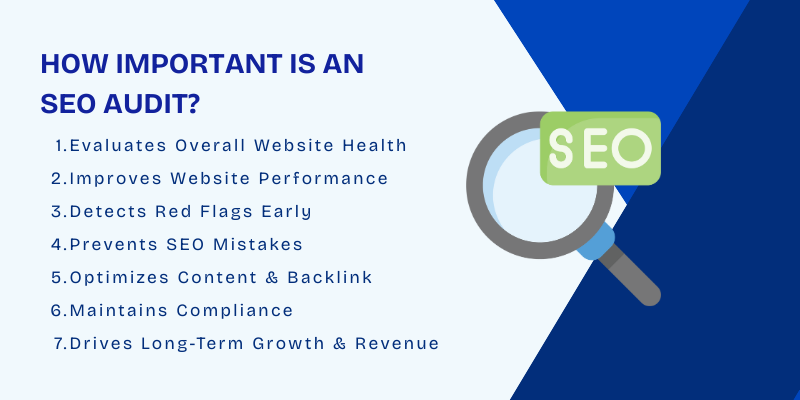
Here’s why an SEO audit is so important:
1. Evaluates Overall Website Health
An SEO audit checks the technical and structural aspects of your site, including the sitemap, anchor text, and integration with social media platforms, to ensure everything runs smoothly.
2. Improves Website Performance
Factors like page load time and mobile responsiveness directly impact user experience and rankings. Auditing these areas helps boost site speed and performance.
3. Detects Red Flags Early
A comprehensive audit identifies potential issues that could harm your visibility or lead to penalties from Google, helping you fix them before they escalate.
4. Prevents SEO Mistakes
Even small errors, like broken links, duplicate content, or poor keyword use, can hurt your rankings. Regular audits catch these problems early.
5. Optimizes Content and Backlink Strategies
External audits provide valuable insights into your content quality, backlink profile, and internal linking, ensuring they align with the latest SEO best practices.
6. Maintains Compliance with Google Standards
SEO rules and algorithms change frequently. Audits help you stay updated and compliant, avoiding penalties that could lower your site’s ranking.
7. Drives Long-Term Growth and Revenue
By improving performance, visibility, and user experience, SEO audits ultimately contribute to higher organic traffic and better conversion rates.
In short, an SEO audit isn’t just a one-time task, it’s an ongoing process that ensures your website stays healthy, competitive, and optimized for growth.
How to Do an SEO Audit (Step by Step)?
An SEO audit is a detailed evaluation of your website’s overall health and search engine performance. Conducting an SEO audit involves a structured process to evaluate your website’s visibility, technical setup, and content performance. To do so effectively, having the right SEO audit tools is essential to carry out thorough assessments.
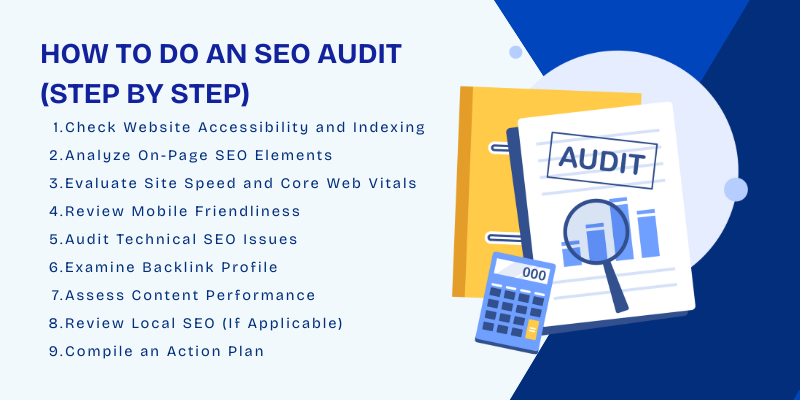
In the process of an SEO audit, it's important to ensure your website is free from common technical errors such as the 503 status code, which indicates the server is temporarily unavailable. Identifying these errors early can help you avoid disruptions in your site's availability and ensure users can access your content without issues.
Following nine essential steps help identify issues that may be hurting your rankings and provide a clear path to improvement.
- Check Website Accessibility and Indexing
- Analyze On-Page SEO Elements
- Evaluate Site Speed and Core Web Vitals
- Review Mobile Friendliness
- Audit Technical SEO Issues
- Examine Backlink Profile
- Assess Content Performance
- Review Local SEO (If Applicable)
- Compile an Action Plan
Let’s explore each.
1. Check Website Accessibility and Indexing
The first step in an SEO audit is confirming that Google can crawl and index your website properly. If search engines can’t access your pages, they won’t appear in search results, no matter how strong your content or keywords are.
To check accessibility and indexing effectively, you can:
- Use Google Search Console to review the Coverage Report for any crawl errors or excluded pages.
- Make sure critical pages are not blocked by your robots.txt file or tagged with noindex.
- Run a quick Google search using site:yourdomain.com to see which pages are indexed.
- Submit an updated XML sitemap to ensure Google finds all key pages.
Ensuring accessibility helps search engines understand your site’s structure and deliver your pages to the right audience.
2. Analyze On-Page SEO Factors
The next step in an SEO audit is to analyze on-page SEO elements that directly impact how search engines understand and rank your website. It's important to incorporate a strategy that includes the use of Google keyword ranking to ensure your keywords are effectively driving traffic to your pages.
To optimize on-page SEO effectively, focus on:
- Title tags: Ensure each page has a unique, keyword-rich title that accurately describes the content.
- Meta descriptions: Write concise, compelling descriptions that encourage clicks from search results.
- Headings (H1, H2, H3): Use a clear hierarchy and include relevant keywords naturally.
- Content quality: Provide valuable, original, and well-structured content that satisfies user intent.
- Keyword usage: Integrate primary and secondary keywords strategically without keyword stuffing.
These elements determine both your site’s relevance and the quality of the user experience.

3. Evaluate Site Speed and Core Web Vitals
Site speed and user experience play a major role in both SEO performance and audience retention. Optimizing load times not only improves user experience but also boosts your SEO rankings, as search engines prioritize fast, responsive websites. To get a detailed view of how your site is performing, SEO ranking report software can help you monitor metrics and identify problem areas that affect your rankings.
To evaluate your site’s performance, use tools like Google PageSpeed Insights, Lighthouse, or GTmetrix to analyze your Core Web Vitals, which measure key user experience metrics:
- Largest Contentful Paint (LCP): How quickly the main content loads.
- First Input Delay (FID): How responsive your site is when users interact.
- Cumulative Layout Shift (CLS): How stable the layout remains as the page loads.
Improving these metrics often involves optimizing images, reducing server response times, minifying code, and enabling browser caching.
4. Review Mobile Friendliness
A site that isn’t optimized for mobile can frustrate visitors and negatively impact rankings.
Google prioritizes mobile-first indexing, meaning it primarily uses the mobile version of your site for ranking and indexing.
To test and improve mobile usability, you can:
- Use Google’s Mobile-Friendly Test tool to check how your pages perform on mobile devices.
- Analyze your Google Search Console Mobile Usability Report for errors like clickable elements being too close or content wider than the screen.
- Test your website manually on different devices and screen sizes to ensure readability, navigation, and design consistency.
- Optimize images and reduce page weight for faster mobile loading times.
5. Audit Technical SEO Issues
A thorough technical SEO audit is essential for ensuring that your website is fully optimized for search engines and provides a seamless user experience. One of the common technical issues you may encounter is the 502 Bad Gateway error, which occurs when there is a server communication problem between your site’s server and another server. Fixing this error is critical for maintaining proper indexing and rankings. You’ll need an SEO website builder that’s equipped to handle technical issues and integrates well with SEO optimization standards.
To audit and resolve common technical SEO issues, focus on:
- Broken links: Identify and fix any 404 errors or links pointing to non-existent pages.
- Duplicate content: Use tools like Copyscape or Screaming Frog to find and resolve duplicate content that may confuse search engines.
- Redirects: Check for unnecessary or incorrect redirects, especially 301 and 302 redirects, that may impact page load times and SEO value.
- XML sitemaps: Ensure your sitemap is up-to-date, correctly formatted, and submitted to Google Search Console. This helps search engines discover and index your pages efficiently.
- Robots.txt analysis: Verify that your robots.txt file is correctly configured to prevent search engines from crawling unnecessary pages, like admin or duplicate content.
Remember, technical issues can hinder your site’s crawlability, indexability, and overall performance in search results.
6. Site Examine Backlink Profile
Analyzing your backlink profile is a crucial step in understanding your website's SEO, as backlinks are one of the most important ranking factors for search engines. On the other hand, toxic or low-quality links can have a negative impact, potentially causing a drop in rankings.
To analyze your backlinks effectively, focus on:
- Quality of backlinks: Ensure your backlinks come from authoritative, relevant websites in your industry. Use tools like Ahrefs, SEMrush, or Moz to review the domain authority (DA) of linking websites.
- Diversity of backlinks: A healthy backlink profile includes links from various sources, including blogs, news outlets, and industry-related sites. Avoid relying too heavily on a single source.
- Toxic links: Identify low-quality, spammy, or irrelevant links that could negatively impact your site's reputation. These may come from link farms, penalized websites, or low-authority domains.
- Anchor text distribution: Review the diversity and relevance of anchor text used for backlinks. Over-optimization with exact match keywords can lead to penalties.
By carefully evaluating your backlink profile during an SEO audit, you can identify valuable links that strengthen your site’s reputation and remove harmful links that could damage your SEO efforts.
7. Assess Content Performance
Assessing content performance is crucial for understanding how well your pages are meeting user intent and driving traffic. By using an SEO Audit Checklist, you can ensure that each content piece is aligned with SEO best practices and contributing to your website's growth.
To effectively assess content performance, focus on:
- Traffic metrics: Analyze page views, unique visitors, and bounce rates to gauge which pages attract the most visitors and which might need better optimization.
- Engagement metrics: Review average session duration, time on page, and user interactions (such as clicks, form submissions, or shares) to understand how engaging your content is.
- Conversion rates: Track how well specific pages convert visitors into leads or customers. This is especially important for product pages, landing pages, and calls to action (CTAs).
- Underperforming pages: Identify pages with high bounce rates, low engagement, or poor conversion rates. These may require content updates, better keyword targeting, or more compelling CTAs.
By using analytics tools like Google Analytics, you can pinpoint which pages are performing well and which ones need improvement.
8. Review Local SEO (If Applicable)
For businesses with a physical presence or those targeting specific geographic regions, Local SEO is crucial for improving visibility in local search results. Many businesses, such as an oil and gas marketing agency, can benefit from optimizing their local search strategies to increase visibility in local markets.
To optimize Local SEO, focus on:
- Google Business Profile: Ensure your Google My Business (GMB) profile is fully optimized, accurate, and up-to-date. Include your business name, address, phone number (NAP), website, business hours, and relevant categories. Regularly update your profile with photos, posts, and customer reviews.
- NAP Consistency: NAP (Name, Address, Phone Number) consistency across your website, GMB profile, and other online directories is critical for local SEO. Inconsistent information can confuse search engines and affect local rankings.
- Local Citations: Build and maintain citations in reputable local business directories (like Yelp, Yellow Pages, and local chambers of commerce). Ensure that your NAP information is consistent across these platforms.
Ensuring your business appears in relevant local searches can drive more foot traffic, phone calls, and local inquiries.
Explore Our Local SEO Services!
9. Compile an Action Plan
After completing an SEO audit, the next essential step is to compile an action plan. To make sure your strategy stays on track, partnering with professional Local SEO services can help you target the right audience in your area while focusing on national-level optimization efforts. This involves summarizing the findings, identifying the most critical issues, and prioritizing fixes to improve your website’s SEO performance.
To create an effective action plan, follow these steps:
- Summarize findings: Document the issues discovered during the audit, including technical problems, on-page optimization gaps, content deficiencies, and backlink concerns.
- Prioritize fixes: Rank issues based on their potential impact on rankings and user experience. Start with high-priority fixes, such as resolving broken links, improving page speed, fixing duplicate content, and optimizing mobile responsiveness.
- Set clear goals: Define measurable objectives for each fix, such as improving page load time by 20% or achieving a specific keyword ranking.
- Assign deadlines: Create a timeline for implementing changes, with realistic deadlines based on the complexity of the tasks.
- Monitor progress: Use tools like Google Analytics and Google Search Console to track the impact of each fix and ensure ongoing improvements.
That said, a well-organized action plan helps you focus on the most impactful areas first, ensuring that your SEO efforts yield the best possible results.
Also Explore: How Many Times Should You Audit Your Site For SEO
Conclusion
In conclusion, we now understand how to do an SEO audit and its importance in maintaining a website’s performance and ensuring long-term growth. Regular SEO audits help you identify technical issues, optimize on-page elements, and improve content, ensuring your site stays aligned with search engine requirements. Consistent monitoring and adjustments allow you to stay ahead of competitors, improve your rankings, and provide a better user experience. By making SEO audits a regular part of your strategy, you can drive continuous growth and keep your website performing at its best. Partnering with Centric, a digital marketing agency, can ensure you get the most out of your SEO efforts.






