





A canonical error plays a major role in how search engines understand and rank your website pages. When a canonical error exists, search engines may struggle to identify the preferred version of a page.
In SEO, search engines aim to index one clear and authoritative URL for each piece of content. Problems occur when similar or identical content appears on multiple URLs.
Over time, canonical errors may lead to duplicate content issues and inconsistent indexing across search engines. These errors often appear due to missing or incorrect canonical tags, inconsistent URL structures, HTTP and HTTPS versions, trailing slashes, or URL parameters.
These issues are common on websites that grow quickly or rely heavily on dynamic URLs. Even small inconsistencies can affect crawl efficiency and search performance.
This guide covers what canonical errors are, why they happen, and how to fix them effectively. It also explains best practices to prevent canonical errors and maintain long-term search visibility.
What is a Canonical Error?
A Canonical Error typically refers to an issue where a URL doesn't properly represent the "canonical" or preferred version of a web page.
This occurs when search engines are unable to determine the correct canonical version of a page, usually due to conflicting signals or improper implementation of the canonical tag (<link rel="canonical" href="URL">).
This can lead to SEO issues, such as duplicate content problems, where search engines may index multiple versions of the same page, causing them to compete with each other in search results.
Let's say you have an e-commerce website with the following two URLs that show the same product:
- www.example.com/product/blue-widget
- www.example.com/product?color=blue&widget=true
Both URLs show the same product, but they are different URLs, and the search engine might treat them as separate pages, which can cause duplicate content issues.
Why Does a Canonical Error Affect SEO?
A canonical error negatively impacts SEO by confusing search engines about which version of a page should be indexed and ranked.
When multiple URLs contain identical or similar content, search engines may treat them as separate pages, rather than recognizing one as the authoritative version.
This dilutes ranking signals, such as backlinks and relevance, across several pages, causing them to compete with each other. As a result, none of the pages may rank as well as a single, unified page would.
Additionally, canonical errors can waste crawl resources, as search engines may spend time indexing duplicate pages instead of focusing on more important content.
This inefficiency can reduce the overall performance of a website, making it harder for key pages to rank highly in search results. Correcting canonical errors consolidates SEO value and enhances page visibility.
What are Some Common Causes of Canonical Issues?
Several factors can lead to canonical issues on a website. Here are some of the most common causes:
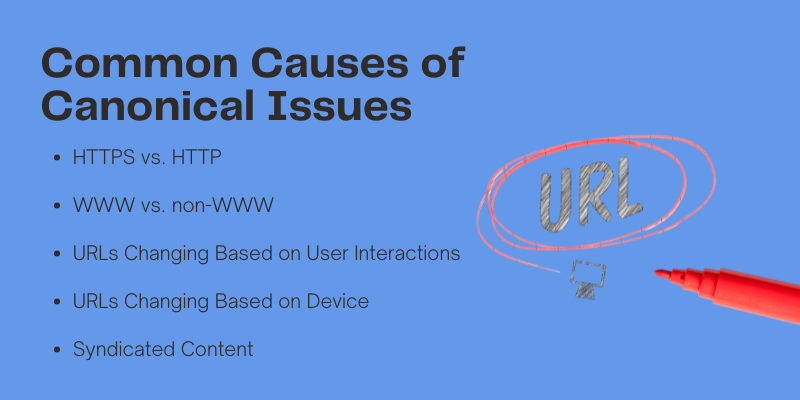
1. HTTPS vs. HTTP
If your site is secured with an SSL certificate, it might be accessible through both HTTPS and HTTP versions of your URL. This creates duplicate pages for every single page on your site, leading to confusion for search engines.
2. WWW vs. non-WWW
Without specifying a preferred version, your site may load with both "www" and without it. This causes duplicates of every page, as search engines may treat these as separate URLs.
3. URLs Changing Based on User Interactions
For e-commerce sites, URLs often change based on user actions like filtering products or adding search parameters. This can lead to duplicate pages being indexed, as each variation of the URL is treated as a separate page.
4. URLs Changing Based on Device
If your site has separate URLs for mobile (e.g., m.[site].com) and desktop users (e.g., [site].com) or uses AMP (e.g., amp.[site].com), it can result in duplicate content issues if not handled properly.
5. Syndicated Content
If your content is republished on other websites or platforms (like Medium), search engines might treat these syndicated versions as duplicates of your original content.
While these issues can easily arise, the good news is that they are fixable. Properly implementing canonical tags and consolidating content can resolve these issues and improve your SEO performance.
Get Started with Our Content Marketing Services!
How Can You Determine If Your Site Has Canonical Issues?
Identifying canonical errors is a crucial step in maintaining a well-optimized website. These errors typically occur when multiple URLs lead to the same or very similar content, confusing search engines about which version should be indexed.
Here are the detailed steps to help you detect and address canonical errors:
1. Google Search Console
Start by checking the coverage and indexing reports in Google Search Console. These reports highlight issues like duplicate content and canonical errors.
Look for any "Duplicate, Google chose different canonical" warnings, which indicate that Google has detected and chosen a different URL as the preferred one. This is a direct sign of canonical issues.
2. Indexed URLs
Review your website’s indexed URLs to ensure that only the correct version of each page appears.
For example, check whether both the HTTP and HTTPS versions of the same page are indexed or if pages with parameters (such as filters or tracking codes) are appearing separately in search results. You can do this by searching for site:yourwebsite.com on Google and reviewing the listed URLs.
3. Manual Inspection of Canonical Tags
Go through key pages on your site and check their canonical tags. The tag should point to the URL that you want search engines to prioritize.
Use tools like Chrome DevTools or browser extensions to check if the canonical tag exists and points to the correct version. If the canonical tag is missing or incorrect, this can lead to a canonical error.
4. HTTP vs HTTPS
Ensure that only one version of your website (either HTTP or HTTPS) is indexed. If both are accessible and indexed separately, it can lead to duplicate content issues.
You can check this by visiting both versions of your website and using Google Search Console to verify which version is set as the preferred (canonical) version.
Implement proper redirects if necessary to prevent both versions from being indexed.
5. URL Parameters
Sometimes, URL parameters (like session IDs, tracking codes, or sorting options) create duplicate pages.
These parameters can confuse search engines into treating them as separate pages. Review your URLs to ensure that duplicate pages caused by these parameters are either excluded from the index or properly handled with canonical tags.
6. Internal Linking
Ensure that all internal links point to the canonical version of the page. Sometimes, due to incorrect linking or old URLs, internal links may point to duplicate versions of pages.
This can confuse search engines and cause indexing issues. Regularly SEO audit your internal linking structure and ensure that it aligns with your canonical strategy.
 Download PDF Now
How to Fix a Canonical Error?
Fixing canonical errors involves ensuring that search engines recognize the correct version of your content and avoid indexing duplicate pages.
Here's how you can address and resolve canonical errors step-by-step:
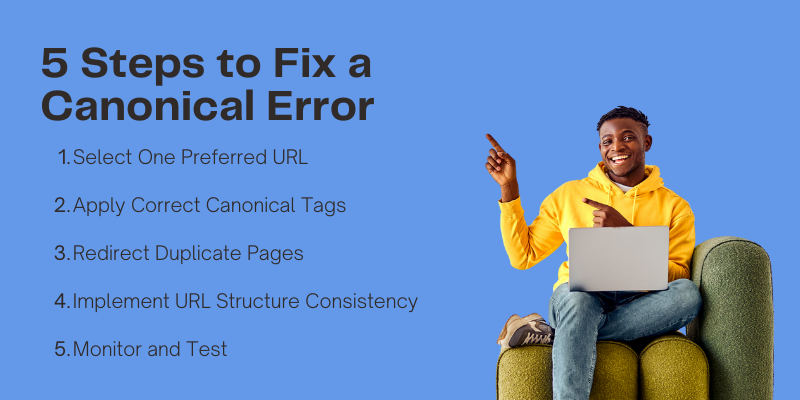
1. Select One Preferred URL
The first step in fixing a canonical error is deciding which URL version will be the primary or preferred version. For example, if you have both an HTTP and HTTPS version of a page, choose the HTTPS version as the canonical URL. Similarly, if you have variations of a page with URL parameters (like tracking codes), choose the clean version without parameters as the preferred URL.

2. Apply Correct Canonical Tags
Once you've selected your preferred URL, the next step is to implement a correct canonical tag on the duplicate pages.
A canonical tag is a simple HTML element that tells search engines which page to consider the original. Place this tag in the <head> section of the HTML code of each duplicate page, pointing it to the preferred version of the URL.
3. Redirect Duplicate Pages
Another effective way to fix canonical errors is by using 301 redirects. A 301 redirect tells search engines that the content of one page has permanently moved to another page. Redirect any duplicate URLs to the canonical (preferred) version.
This ensures that all traffic, link equity, and ranking signals flow to the correct page. For example, if a page with URL parameters is considered duplicate, redirect it to the clean version:
4. Implement URL Structure Consistency
Ensure that all internal links, sitemaps, and navigation point to the canonical URL. For instance, if you're linking to a page within your site, always link to the preferred version of the URL (with the correct protocol, trailing slashes, and parameters).
5. Monitor and Test
After making the necessary changes, monitor the impact of your fixes. Use Google Search Console to check if the canonical errors are resolved.
You can also re-crawl the affected pages to verify that Google is recognizing the correct canonical URL. Keep an eye on the coverage reports and URL inspection tool to ensure no further issues arise.
7 Canonical Tag Best Practices
Implementing canonical tags properly is key to maintaining a well-structured website and ensuring that search engines index the right pages.
Below are some best practices to follow when using canonical tags:
1. Use Self-Referencing Canonicals
A self-referencing canonical tag points to the page itself. This is particularly useful for pages that might be accessed through different URLs, such as pages with sorting or filtering options.
By adding a self-referencing canonical tag, you tell search engines that the current page is the preferred version, even if multiple URLs are available.
This practice prevents issues with duplicate content and ensures search engines treat the page as the main version.
2. Maintain a Consistent URL Structure
Consistency in your URL structure is crucial to avoid canonical errors. Make sure to use a standardized format for all URLs.
For example, decide whether you will use trailing slashes (/page/) or not (/page) and stick with it throughout your site.
Also, ensure that your URLs are consistent in terms of case sensitivity, avoiding variations like /Page and /page. Consistency helps search engines understand which URL is the correct one to index.
3. Include Canonical Tags on Every Page
Every page on your website should include a canonical tag, even if the page is a self-referencing one.
This ensures that even if new URLs are added to the site, search engines will be aware of the preferred version.
Additionally, adding canonical tags to every page helps avoid issues if pages are dynamically created or modified.
4. Avoid Conflicting Canonical Tags
Make sure that no two pages on your site have conflicting canonical tags. For instance, a page that points to another as the canonical version should not have a conflicting tag pointing to yet another page.
Conflicting tags can confuse search engines and prevent them from understanding which page should be indexed.
5. Regularly Review Canonical Tags
It’s important to regularly audit your site for canonical errors and review your canonical tags. Websites evolve over time, with new content, pages, and URLs being added.
As your site grows, it's essential to ensure that your canonical tags are still pointing to the correct, preferred versions of your pages.
Tools like Google Search Console, Screaming Frog, or other site crawlers can help you identify any issues with your canonical tags.
6. Use Canonicals for Pagination
For pages that are part of a series or paginated (like product listings or blog archives), make sure to use canonical tags pointing to the main page of the series.
This helps consolidate link equity to the main page, preventing the pagination pages from being indexed separately as duplicates.
7. Ensure Correct Canonicals for Multiple Versions of Content
When you have multiple versions of the same content like content in different languages or print-friendly versions use canonical tags to point to the primary version of the page.
This prevents search engines from seeing these different versions as separate pages and ensures the correct page is indexed.
FAQs: Canonical Error
What Is A Canonical Error?
A canonical error happens when search engines can’t determine which URL is the preferred version of a page. This often occurs when identical or similar content is accessible through multiple URLs, causing confusion in search indexing and affecting rankings.
How Do Canonical Errors Affect SEO?
Canonical errors confuse search engines, causing them to split ranking signals across multiple URLs. This reduces the authority of your content, leading to lower search rankings, duplicate content issues, and decreased page visibility in search results.
How Can I Fix Canonical Errors On My Website?
To fix canonical errors, choose one preferred URL for each piece of content, apply the correct canonical tag to all versions of the page, and use 301 redirects to point duplicates to the preferred URL. This ensures that search engines index the correct page.
What Is A Self-Referencing Canonical Tag?
A self-referencing canonical tag is a tag that points to the page itself, indicating to search engines that the current URL is the preferred version. This is useful when there are variations of a page (such as through URL parameters) but the content is the same.
Why Is Url Structure Consistency Important For Canonical Tags?
Maintaining a consistent URL structure (such as using trailing slashes or not) helps search engines understand which URL version should be indexed. Inconsistent URLs can create duplicate content, which may result in canonical errors and negatively impact SEO.
How Can I Check If My Canonical Tags Are Working Correctly?
You can check if your canonical tags are working by using tools like Google Search Console, site crawlers like Screaming Frog, or inspecting the HTML of your pages. These tools will help identify any incorrect or missing canonical tags, allowing you to fix them.
Can Canonical Tags Be Used For Pagination?
Yes, canonical tags can be used for pagination. For paginated pages (such as product listings or blog archives), the canonical tag should point to the main or first page of the series. This consolidates ranking signals to the main page and avoids duplicate content issues.
How Often Should I Review My Canonical Tags?
It’s essential to review your canonical tags regularly, especially as your website evolves. With new content and pages added over time, you need to ensure that canonical tags are correctly implemented to prevent issues as your site grows.
Conclusion
A canonical error can significantly impact your website’s SEO by confusing search engines about which page to index. This can lead to duplicate content issues, reduced visibility, and split ranking signals, ultimately harming your site's performance in search results.
By understanding the causes of canonical errors and implementing the correct fixes such as applying self-referencing canonical tags, maintaining a consistent URL structure, and regularly reviewing your canonical strategy you can prevent these issues from affecting your SEO efforts. Regular checks and best practices will ensure that search engines index the right pages, helping to improve your site’s visibility and ranking over time. Centric, a digital marketing agency, specializes in optimizing SEO strategies to avoid such errors, ensuring that your website’s performance remains strong and competitive.





