





What is Microsoft Power Platform? It is a suite of low-code and no-code tools designed to help businesses automate processes, analyze data, and build custom applications with ease.
Comprising four key components Power BI, Power Apps, Power Automate, and Power Virtual Agents—this platform empowers organizations to enhance efficiency and collaboration without needing extensive coding knowledge.
Centric helps businesses harness the power of Microsoft Power Platform to streamline operations, automate workflows, and derive actionable insights.
In this guide, you'll learn about the platform’s core features, its benefits, practical use cases, and how to start using Power Platform effectively. Whether you’re just getting started or looking to optimize your current setup, this guide will help you make the most of this versatile tool to drive business success.
What is Microsoft Power Platform?
Microsoft Power Platform is a suite of applications, connectors, and a data platform that empowers organizations to digitize their processes and workflows with ease. It combines four powerful components: Power BI, Power Apps, Power Automate, and Power Virtual Agents.
These tools enable businesses to automate tasks, build custom applications, visualize data, and create intelligent chatbots, all without the need for complex coding.
Designed for both business users and IT professionals, Microsoft Power Platform enables quick development, data integration, and process automation. By leveraging these tools, companies can improve operational efficiency, make informed decisions, and reduce reliance on IT for creating solutions.
Power Platform’s ability to seamlessly integrate with other Microsoft tools like Office 365 and Dynamics 365 further enhances its utility, making it an essential asset for modern businesses looking to stay competitive.
Why Businesses Should Care About Power Platform?
The Microsoft Power Platform is revolutionizing how businesses operate, providing tools that enable users to create and innovate without being dependent on a development team. This empowers employees from various departments to automate tedious tasks, gather real-time data insights, and create custom apps that directly align with their needs.
For instance, Microsoft Power BI offers businesses the ability to analyze vast amounts of data, transforming raw figures into meaningful visualizations, helping organizations make informed decisions.
Power Apps enables businesses to create tailored applications with minimal coding, speeding up processes that would traditionally take months. Power Automate ensures that repetitive manual tasks are automated, saving time and reducing the risk of human error.
By embracing Microsoft Power BI, Power Apps, and Power Automate, businesses can drive operational efficiency, improve productivity, and unlock new opportunities for innovation. These tools are not just for developers—they're for everyone in the organization who wants to work smarter and faster.
Explore Our Microsoft Cloud Solutions!
4 Key Components of Microsoft Power Platform
The Microsoft Power Platform is built around a set of tightly connected tools that work together as a low-code platform. Each component serves a specific purpose, but when combined, they create powerful end-to-end business solutions.
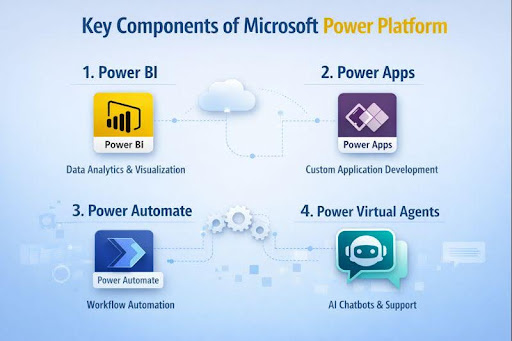
These tools are designed to simplify application development, data analysis, workflow automation, and conversational interfaces, all while ensuring seamless Power Platform integration with Microsoft 365, Dynamics 365, and third-party systems. Understanding these core Power Platform features helps businesses unlock the platform’s full potential.
1. Power BI
Power BI is the analytics engine of the Power Platform. It enables organizations to collect, model, and visualize data from multiple sources in one place. With interactive dashboards and real-time reports, decision-makers gain clear visibility into performance metrics.
As part of a low-code platform, Power BI solutions allow users to create insights without advanced technical skills while benefiting from strong Power Platform integration across Microsoft tools.
2. Power Apps
Power Apps allows businesses to build custom applications quickly using a low-code platform approach. Instead of lengthy development cycles, teams can create apps using drag-and-drop components and prebuilt connectors.
These apps integrate smoothly with data sources such as SharePoint, Dataverse, and SQL, making Power Platform integration a core strength. One of the key Power Platform features is enabling rapid app development aligned with real business needs.
3. Power Automate
Power Automate focuses on reducing manual effort by automating repetitive tasks and workflows. From simple approvals to complex business processes, it connects applications and services seamlessly.
As part of the broader low-code platform, Power Automate enhances efficiency while maintaining strong Power Platform integration with both Microsoft and third-party systems. Automation is one of the most impactful Power Platform features for improving productivity.
4. Power Virtual Agents
Power Virtual Agents enables organizations to create intelligent chatbots without writing code. These bots can handle common customer or employee queries, integrate with existing systems, and trigger workflows using Power Automate.
As a built-in capability of the low-code platform, Power Virtual Agents strengthens user engagement while benefiting from native Power Platform integration and shared Power Platform features across the ecosystem.
3 Benefits of Using Microsoft Power Platform
Microsoft Power Platform delivers measurable value by helping organizations work smarter, faster, and more efficiently. These Microsoft Power Platform benefits make it easier for businesses to modernize operations without heavy development effort.
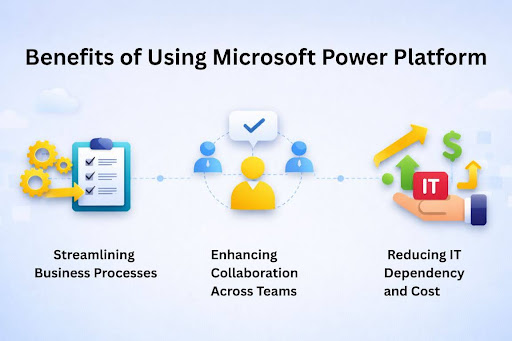
As part of broader Microsoft business solutions, the platform enables companies to build scalable applications, automate workflows, and unlock data insights using a unified set of Power Platform tools. Organizations can improve collaboration, reduce operational costs, and adapt quickly to changing business needs.
Together, these Microsoft Power Platform benefits position the platform as a strong foundation for long-term business growth with digital transformation services.
1. Streamlining Business Processes
One of the biggest advantages of Microsoft Power Platform is its ability to simplify and optimize daily operations. Through Business process automation, organizations can eliminate manual tasks, reduce errors, and standardize workflows across departments.
Power Platform tools such as Power Automate and Power Apps allow teams to design efficient processes that respond quickly to business needs. This streamlined approach improves productivity and ensures consistent execution across the organization.
2. Enhancing Collaboration Across Teams
Microsoft Power Platform strengthens teamwork by enabling shared access to data, apps, and workflows. Employees across departments can collaborate using the same Power Platform tools, ensuring transparency and alignment.
As part of integrated Microsoft business solutions, the platform connects seamlessly with the Microsoft 365 Solution, allowing teams to work together using familiar tools while staying informed through real-time data and automated updates.
3. Reducing IT Dependency and Cost
By using a low-code approach, Microsoft Power Platform reduces reliance on specialized development teams. Business users can build apps, automate workflows, and manage data with minimal technical support.
This lowers development and maintenance costs while freeing IT teams to focus on strategic initiatives. With built-in Business process automation and scalable Power Platform tools, organizations achieve faster results without increasing infrastructure or resource expenses.

How Microsoft Power Platform Integrates with Other Microsoft Services?
One of the strongest advantages of Microsoft Power Platform lies in its deep integration across the Microsoft ecosystem. Designed to work seamlessly with existing tools, it connects data, workflows, and applications into a unified environment.
These built-in connections expand Power Platform capabilities, enabling organizations to build scalable solutions while supporting a wide range of Microsoft Power Platform use cases across departments.
Seamless Integration with Microsoft 365 and Dynamics 365
Microsoft Power Platform integrates natively with Microsoft 365 and Dynamics 365, allowing users to work with familiar tools such as SharePoint, Teams, Outlook, and Excel. This integration enables data to flow smoothly between systems, supporting real-time reporting, automated approvals, and custom applications.
These connected experiences enhance Power Platform capabilities while addressing practical Microsoft Power Platform use cases such as HR automation, sales automation, and customer service workflows. Organizations can also scale these solutions efficiently, making Power Platform pricing a cost-effective option for businesses of all sizes.
Power Platform’s Role in Modernizing IT Infrastructure
Microsoft Power Platform plays a key role in modernizing IT environments by reducing legacy system dependency and accelerating digital transformation. By enabling rapid app development, workflow automation, and data integration, it helps organizations adopt agile and scalable solutions.
These modern approaches expand Power Platform capabilities while supporting diverse Microsoft Power Platform use cases, from internal process optimization to enterprise-wide automation. With flexible Power Platform pricing, businesses can modernize their IT infrastructure without heavy upfront investment or long development cycles.
Real-World Use Cases of Microsoft Power Platform
Microsoft Power Platform is widely adopted across industries to solve practical business challenges. Designed as a Power Platform for businesses, it enables organizations to turn ideas into functional solutions quickly.
From data analysis to workflow automation and custom application development services supports real operational needs while improving efficiency, accuracy, and decision-making across teams.
Use Case 1
Business analysts use Power BI within the Power Platform to access real-time data and create interactive dashboards. This allows them to track performance, identify trends, and share insights with stakeholders instantly.
As a Power Platform for businesses, it reduces reliance on manual reporting and enables faster, data-driven decisions that support strategic planning and growth.
Use Case 2
HR teams leverage Power Automate and Power Apps to automate employee onboarding, leave approvals, and document management. These automated workflows reduce paperwork and minimize errors.
By adopting Power Platform for businesses, HR departments streamline processes, improve employee experience, and ensure consistent policy execution across the organization.
Use Case 3
Organizations often require applications tailored to their internal processes. Power Apps allows teams to build custom apps for inventory tracking, field operations, or service management without complex development.
This flexibility makes Power Platform for businesses an ideal solution for addressing unique operational requirements while remaining scalable and easy to maintain.
Getting Started with Microsoft Power Platform
Getting started with Microsoft Power Platform is straightforward and designed for both technical and non-technical users. The platform provides intuitive tools, built-in templates, and seamless integrations that allow organizations to start building solutions quickly.
Whether your goal is data visualization, app development, or workflow automation, Microsoft Power Platform enables businesses to begin their digital transformation journey with minimal setup and faster time to value.
Setting Up Power BI for Your Business
The first step is connecting Power BI to your data sources such as Excel, SharePoint, SQL databases, or cloud services. Once connected, users can create interactive dashboards and reports to monitor key metrics.
Power BI’s drag-and-drop interface makes it easy to visualize data and share insights across teams, supporting informed decision-making throughout the organization.
Creating Your First Power App
Power Apps allows users to build custom applications without complex coding. By selecting a template or starting from a blank canvas, businesses can design apps tailored to their workflows. These apps can connect to existing data sources and be deployed quickly, enabling teams to solve specific operational challenges with custom solutions.
Automating Processes with Power Automate
Power Automate helps organizations eliminate repetitive manual tasks by creating automated workflows. Users can set up triggers and actions to automate approvals, notifications, and data updates across systems. This automation improves efficiency, reduces errors, and ensures processes run consistently, allowing teams to focus on higher-value work.
FAQs
What is Microsoft Power Platform used for?
Microsoft Power Platform is used to build custom applications, automate workflows, analyze data, and create chatbots using low-code tools. It helps businesses improve efficiency, reduce manual work, and make data-driven decisions without relying heavily on traditional software development.
Who can use Microsoft Power Platform?
Microsoft Power Platform can be used by business users, analysts, and IT teams. Its low-code approach allows non-technical users to build solutions, while developers and IT teams can extend functionality, manage governance, and ensure security across enterprise environments.
Is Microsoft Power Platform suitable for small businesses?
Yes, Microsoft Power Platform is suitable for small businesses because it offers scalable tools, flexible pricing, and rapid deployment. Small teams can automate processes, create apps, and analyze data without large development budgets or complex infrastructure investments.
How does Microsoft Power Platform support digital transformation?
Microsoft Power Platform supports digital transformation by enabling business process automation, rapid app development, and data insights. It connects systems, reduces manual workflows, and empowers teams to innovate faster while aligning technology solutions with evolving business needs.
Conclusion
What is Microsoft Power Platform? It is a transformative suite of tools that empowers businesses to innovate, automate, and analyze with ease. The platform’s ability to streamline workflows, develop custom applications, and unlock data insights makes it a powerful tool for digital transformation.
The power of innovation lies in how Microsoft Power Platform enables businesses to build solutions quickly and efficiently, no matter their size or industry. By utilizing its low-code tools, organizations can address complex challenges and accelerate growth.
Centric helps you harness the potential of Microsoft Power Platform for success. Our expertise in the platform allows businesses to automate processes, create custom apps, and gain valuable insights, driving efficiency and competitive advantage. Let Centric guide you through the process of integrating Power Platform into your business for long-term success.






