



To find backlinks to your own site, start with the Links report in Google Search Console, which is free but shows only a sample of links rather than every one. To find backlinks to any other site, including competitors, you need a third-party backlink tool, because Search Console only reports on properties you verify. Combine both for a fuller picture.
Key Takeaways
- Google describes the Search Console Links report as a sample of internal and external links, not a comprehensive list, so treat it as a starting point.
- Search Console groups linking sites by root domain and strips subdomains, so links from a blog subdomain appear under the main domain. Different top-level domains stay separate.
- Main tables cap at around 1,000 rows, while exports of latest and sample links reach up to 100,000 rows. Neither is Google's full link graph.
- Search Console only covers sites you verify, so competitor research requires a third-party tool.
- Domain Authority, Page Authority and Trust Flow are third-party vendor metrics, not Google ranking signals. Useful for comparison, not as targets.
Finding backlinks sounds like a single task, but it is really three: seeing who links to you, seeing who links to competitors, and judging whether those links help or hurt. The tools differ for each, and the free option has limits that most guides skip over.
The sections below cover the methods in order of cost, explain exactly what Google's own report does and does not show, and give a way to judge link quality without treating vendor scores as if they were Google signals.
What Does Finding Backlinks Mean?
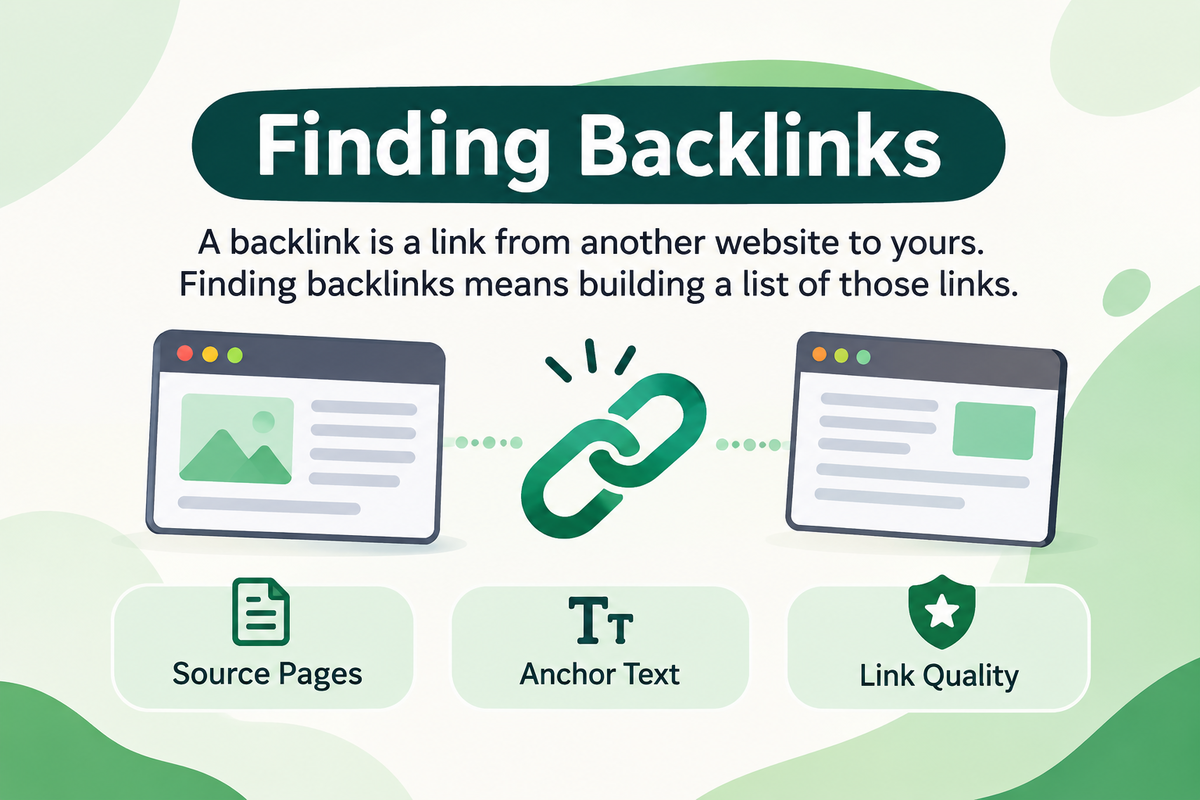
A backlink is a link from another website to yours. Finding backlinks means building a list of those links, with the pages they come from, the anchor text used and some measure of the linking site's quality, so you can see where your authority comes from and where competitors are earning links you are not.
Finding backlinks is a research task, separate from earning new links. Our guides to what backlinks are, link building and how to get backlinks cover the earning side once you know where you stand.
Five Ways to Find Backlinks
The methods below run from free to paid, and each answers a different question. Most teams use the first for their own site and a paid tool for competitors, because the free option cannot see sites you do not control. The table shows what each method covers.
|
Method |
Covers |
Cost |
Main limit |
|---|---|---|---|
|
Google Search Console |
Your own verified properties |
Free |
A sample, not every link; cannot see other sites |
|
Paid backlink tools |
Any site, including competitors |
Subscription |
Index coverage varies by vendor; costs add up |
|
Free tiers of paid tools |
Any site, partially |
Free, limited |
Row limits and restricted filters |
|
Site and brand mention searches |
Unlinked mentions and recent coverage |
Free |
Manual and incomplete |
|
Crawlers and log analysis |
Referral traffic and link discovery on your own site |
Varies |
Shows referrals, not the full link graph |
Start free, then decide whether the gaps justify a subscription. If your only question is "who links to us", Search Console may be enough. If you need competitor data, it will not be.
Using Google Search Console
Search Console is the natural first stop because the data comes from Google and costs nothing. Open the Links report from the left menu, and you get two halves: external links and internal links. The external side contains three views, each answering a different question about who links to you.
- Top linked pages: which of your pages attract the most external links. Start here if you want to know what earns links.
- Top linking sites: which external domains link to you most often. Start here if you want to know who links to you.
- Top linking text: the anchor text other sites use. Useful for spotting unnatural or spammy anchor patterns.
You can click a page in Top linked pages to see the top sites linking to it, and click a linking site to see which of your pages it links to. To get more than the on-screen tables, use the export option, which offers latest links and a further sample of links Google knows about.
What Search Console Will and Will Not Tell You?
Here is where most backlink guides mislead people. Google's own documentation describes the Links report as a sample, so treating it as a complete backlink database leads to wrong conclusions, especially when a link you know exists does not appear. The table sets out the documented limits.
|
Limit |
What it means in practice |
|---|---|
|
The report is a sample of internal and external links |
A missing link does not prove the link is not counted; links from pages Google has not indexed may be excluded |
|
Sites are grouped by root domain, with subdomains stripped |
Links from a blog or shop subdomain appear under the main domain, so one entry can represent several sources |
|
Different top-level domains are kept separate |
A .com and a .de version of the same brand appear as separate linking sites |
|
Main tables cap at around 1,000 rows; exports reach up to 100,000 |
Large sites cannot see their full profile here, even after exporting |
|
Nofollow status is not shown |
You cannot tell from this report whether a link passes signals |
|
Only verified properties are covered |
Competitor research is impossible in Search Console |
|
The Search Console API does not expose the Links report |
Automated reporting needs a different source |
None of this makes the report useless. It is free, it comes from Google, and it is the best place to spot your most-linked pages and odd anchor text. Just pair it with a second source before drawing conclusions, and confirm current behavior in Google's Links report documentation, since reports change.
Finding Competitor Backlinks
Competitor research is the main reason to pay for a backlink tool, since Search Console cannot see sites you do not own. The aim is not to copy every link, but to find the publications, directories and resource pages in your market that already link to businesses like yours.
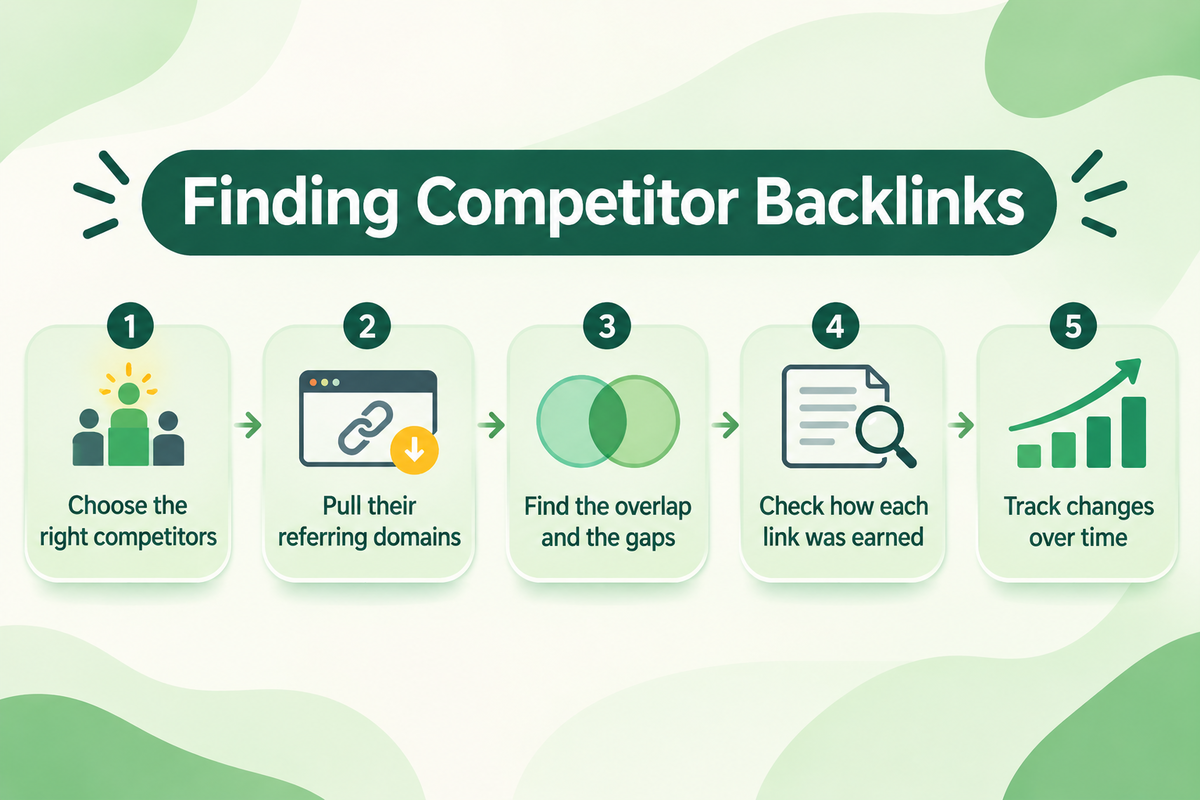
1. Choose the right competitors
Pick the sites that actually rank for your target terms, not just your commercial rivals. A publisher or a comparison site may be your real search competitor even if it does not sell what you sell.
2. Pull their referring domains
Work at domain level rather than link level. One site linking to a competitor 400 times is one relationship, not 400 opportunities, which is why referring domains is the more useful count.
3. Find the overlap and the gaps
Look for domains linking to several competitors but not to you. Those are the most likely to be reachable, because they already link to your category.
4. Check how each link was earned
Open the linking page. A link in a resource list, a news story, a guest article and a paid placement each require different work, and the last is not worth pursuing.
5. Track changes over time
Watch which domains competitors gain each quarter. A pattern of new links from one type of site usually reveals an active campaign you can learn from. Our guide to link building for e-commerce covers sector tactics.
Want to Know Whether Your Link Profile is Helping or Holding You Back?
Centric SEO services include a backlink profile audit covering referring domains, anchor patterns and risky links. Start with our free AI site audit.
Talk to Our SEO Team!
Judging Link Quality
Once you have a list, the question becomes which links matter. Third-party tools publish authority scores, and they are useful for comparison, but it is important to know what they are: vendor estimates, not numbers Google publishes or uses. The table explains how to read them.
|
Signal |
What it tells you |
How to use it |
|---|---|---|
|
Vendor authority scores (Domain Authority, Page Authority, Trust Flow and similar) |
A vendor's estimate of a site's strength, on its own scale |
Compare sites within one tool; never treat as a Google metric or a target |
|
Topical relevance |
Whether the linking site covers your subject |
A relevant link from a modest site often beats an irrelevant one from a large site |
|
Placement on the page |
Whether the link sits in real content or in a footer or sidebar |
Editorial placements signal genuine endorsement |
|
Anchor text |
How the link describes you |
Natural variation is normal; repeated exact-match commercial anchors are a risk pattern |
|
Referring domains versus total links |
How many distinct sites link to you |
Count domains, not links; one site linking many times adds little |
|
Traffic to the linking page |
Whether anyone will ever click the link |
Links that send real referral visits have value beyond SEO |
Read authority scores as a rough sort order, not a scoreboard. Two tools will give the same site different numbers, because each is measuring its own index.
Spotting Toxic Links
Most sites accumulate some low-quality links without doing anything wrong, and Google is generally good at ignoring them. The risk worth attention is a pattern that looks manipulative, rather than the presence of a few poor links. Look for these signals when reviewing a profile.
- Sudden spikes in links from unrelated sites, especially with commercial anchor text.
- Link networks: many sites with thin content, duplicated templates and outbound links to unrelated businesses.
- Irrelevant foreign-language sites linking with English commercial anchors.
- Paid placements that are not marked as sponsored.
- Site-wide footer or sidebar links across many pages of one site.
Disavowing is a last resort, not routine maintenance. Google's disavow tool is separate from the Links report and does not support Domain properties, and most sites never need it. If you suspect a manual action, check the Manual Actions report before doing anything else.
Common Mistakes
Backlink research goes wrong in a few repeatable ways, and nearly all of them come from treating incomplete data as complete, or vendor scores as if they were official Google measures. The table lists the mistakes we see most often, why each one hurts and what to do instead.
|
Mistake |
Why it hurts |
What to do instead |
|---|---|---|
|
Treating Search Console as a complete list |
Google documents it as a sample |
Pair it with a second source before concluding anything |
|
Assuming a missing link was not counted |
Sampling and indexing both affect what appears |
Check the linking page is indexed before worrying |
|
Chasing vendor authority scores |
They are estimates on private scales, not Google signals |
Prioritize relevance and editorial placement |
|
Counting links instead of referring domains |
One site linking 400 times looks like 400 wins |
Report referring domains as the headline number |
|
Copying every competitor link |
Many are paid, irrelevant or unreachable |
Target domains linking to several competitors but not you |
|
Disavowing routinely |
Can remove links that were helping |
Disavow only with evidence of a real problem |
|
Ignoring anchor text patterns |
Unnatural distributions can precede problems |
Review Top linking text periodically |
Backlink Research Checklist
Run this list quarterly, or before any link-building campaign. Each item maps to a section above, so an unchecked box shows where to go back. Teams that follow it avoid the usual trap of building a plan on partial data.
- Search Console property verified and the Links report reviewed
- Top linked pages checked for what earns links
- Top linking sites exported for a fuller sample
- Top linking text reviewed for unnatural anchors
- A second data source used to fill the sample gaps
- Referring domains counted, not total links
- Three to five real search competitors identified
- Competitor referring domains pulled and gaps listed
- Linking pages opened to see how each link was earned
- Risk patterns reviewed, with disavow used only on evidence
Ready to Understand Your Link Profile Properly?
Start with Centric SEO services and our audit team to review your backlinks and priorities.
Book A Consultation!Frequently Asked Questions
How do I find backlinks to my website for free?
Use the Links report in Google Search Console, under External links. It shows top linked pages, top linking sites and top linking text, and you can export latest and sample links. It is free and comes from Google, but it shows a sample rather than every link, so pair it with another source.
How can I check backlinks of any website?
You need a third-party backlink tool, because Search Console only reports on properties you verify. Several vendors offer limited free checks that show a portion of a site's referring domains, with full data behind a subscription. Index coverage differs between vendors, so results will not match exactly.
Why are some backlinks missing from Search Console?
Google describes the Links report as a sample of internal and external links, not a comprehensive list, and links from pages Google has not indexed may be excluded. Tables also cap at around 1,000 rows, with exports up to 100,000. A missing link does not prove Google has not seen it.
What metrics should I look at when analyzing backlinks?
Referring domains rather than total links, topical relevance, where the link sits on the page, anchor text patterns and whether the linking page gets real traffic. Vendor authority scores are useful for sorting within one tool, but they are estimates rather than Google metrics, so do not treat them as targets.
Are Domain Authority and Trust Flow Google metrics?
No. They are third-party scores created by SEO tool vendors, each on its own scale and index. Google does not publish or use them. They are reasonable for comparing sites within a single tool, but two tools will rate the same site differently, so never report them as official measures.
How does competitor backlink analysis help my SEO?
Competitor analysis shows which publications, directories and resource pages already link to businesses in your market. Domains that link to several competitors but not to you are the most reachable opportunities. It also reveals what kind of content earns links in your category, which is more useful than the link list itself.
Should I disavow toxic backlinks?
Usually not. Google generally ignores low-quality links, and most sites never need the disavow tool, which is separate from the Links report and does not support Domain properties. Consider it only with evidence of a real problem, such as a manual action, and preferably with experienced help.
Final Thoughts
Finding backlinks is straightforward once you accept that no single source is complete. Start with Search Console for your own site, understand that it is a sample, add a third-party tool for competitor data, and judge links by relevance and placement rather than by vendor scores.
Centric runs backlink audits and link acquisition for US businesses. Start with our SEO services, see SEO audit services and enterprise SEO, and read what SEO marketing is for the wider picture. Our best SEO tools and SEO audit tool guides cover the software side.
For published results, our Big Tex Storage and HRSS CPAs case studies describe US search programs, and our SEO results page summarizes more. We work with sectors including B2B technology, real estate and financial services.