





Curious about what CMS is in web design? Let’s dive in and explore!
A Content Management System (CMS) is a platform that simplifies the process of creating, managing, and updating content on a website without needing any technical knowledge.
In the context of web design, CMS platforms allow businesses and individuals to easily manage their site’s content, including text, images, and multimedia, ensuring that the site remains up-to-date with minimal effort.
CMS platforms are designed to streamline both the design and content management processes, making it possible for non-technical users to create and update web pages effortlessly.
This empowers businesses to take control of their online presence without relying on a developer for every change.
At Centric, we specialize in providing CMS web development services that help businesses build efficient, scalable, and easy-to-manage websites tailored to their needs.
This blog will explore the benefits, types, and best practices of using a CMS for web design, and help you understand how you can make the most out of your CMS platform.
What is CMS?
A Content Management System (CMS) is a software application that enables users to create, manage, and modify content on a website without the need for specialized technical knowledge. It provides an intuitive interface that simplifies the management of web pages, blog posts, images, videos, and more, making it accessible for non-developers to maintain their online presence.
Role of CMS in Web Development and Web Design
In web design and web development services, a CMS plays a pivotal role by separating content from design. This separation offers several benefits:
-
Focus on Structure and Functionality: Developers and designers can concentrate on the website's overall structure and functionality, while content creators manage and update the content independently.
-
Efficient Workflow: Content updates and changes can be made quickly and efficiently, without disrupting the design or requiring developer involvement for minor changes.
This approach streamlines content management and improves workflow by allowing design and content management tasks to be handled separately, resulting in faster updates and reduced reliance on developers.
Check Our web Design and Development Services
What is a CMS System?
A Content Management System (CMS) is a software platform that simplifies creating, managing, and modifying content on a website. It provides an intuitive interface, enabling users to design, update, and organize website content without coding skills.
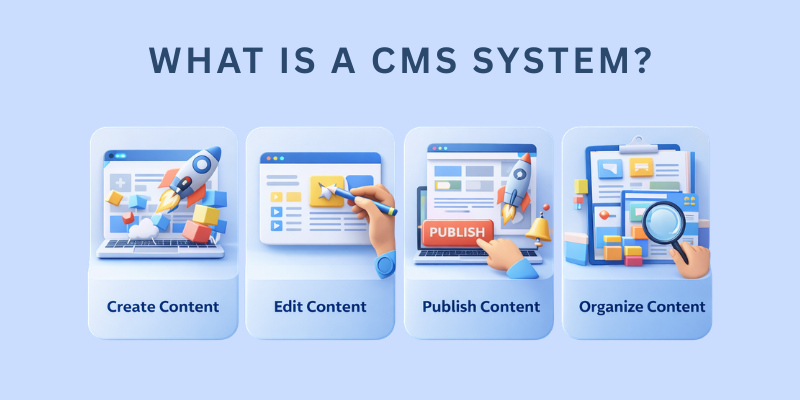
At its core, a CMS allows for efficient storage, retrieval, and display of content, making it a powerful tool for maintaining dynamic websites.
How CMS Platforms Simplify Content Creation, Editing, and Publishing
-
Create Content: Add text, images, videos, and other elements using a simple content editor.
-
Edit Content: Modify existing content with a visual or text-based editor.
-
Publish Content: Instantly publish content to the website or schedule it for a later time.
-
Organize Content: Use categorization and tagging features to easily organize and retrieve content.
CMS platforms are designed for non-technical users, offering drag-and-drop functionality and eliminating the need to understand HTML, CSS, or JavaScript.
This allows business owners, marketers, and content creators to manage websites independently, reducing reliance on developers and speeding up content delivery.
8 Key Benefits of CMS for Content Management
A Content Management System (CMS) simplifies the process of managing and updating website content.
It offers a user-friendly interface that empowers content creators to add, edit, and remove various types of content text, images, videos, and more without needing to write any code.
This significantly streamlines the process of keeping your website fresh, engaging, and optimized for SEO.
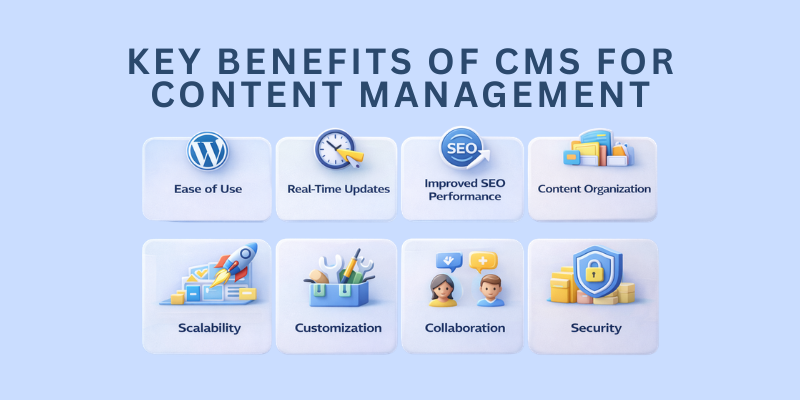
Here are some of the key benefits of CMS for content management:
-
Ease of Use: Manage content through an intuitive interface with no coding required.
-
Real-Time Updates: Instantly update text, images, and multimedia elements.
-
Improved SEO Performance: Easily optimize content for better search engine rankings.
-
Content Organization: Categorize and organize content, making it easy to manage large amounts of information.
-
Scalability: Easily scale your website by adding new pages or features as your business grows.
-
Customization: Customize the design, layout, and functionality to meet specific business needs without extensive technical expertise.
-
Collaboration: Allow multiple users to contribute and update content simultaneously with role-based access and permissions.
-
Security: Many CMS platforms offer built-in security features like user authentication, regular updates, and backups to protect website data.
Tools within CMS that Help Designers Customize Website Layouts
Most CMS platforms come equipped with powerful design tools that enable extensive customization:
-
Drag-and-Drop Editors: Easily design pages without coding by dragging and dropping elements such as text blocks, images, and buttons.
-
Pre-built Templates: Select from a variety of templates that are mobile-friendly and customizable, saving time while ensuring a consistent design across the site.
-
Theme Customization: Adjust themes to match the brand’s identity, including colors, fonts, and layouts.
-
Third-Party Plugins: Enhance website functionality by integrating plugins for advanced features like e-commerce, social sharing, or SEO optimization.
-
Responsive Design: Ensure the website looks great on all devices with built-in tools for creating responsive layouts.
What are the Different Types of CMS Platforms for Websites?
There are several types of Content Management Systems (CMS) available to businesses, each catering to different needs in website design, content management, and scalability.
Web Content Management Systems (WCMS)
WCMS platforms are designed to manage and publish content directly on websites. They provide a user-friendly interface, making it easy for non-technical users to create, edit, and organize content without the need for coding skills.
Examples: WordPress, Joomla, Drupal
Best For: Blogs, business websites, news sites, and portfolios.
Web Content Management Systems (WCMS)
WCMS platforms are designed to manage and publish content directly on websites. They provide a user-friendly interface, making it easy for non-technical users to create, edit, and organize content without the need for coding skills. This type of CMS is ideal for businesses and organizations that need to regularly update their web content.
Examples: WordPress, Joomla, Drupal
Best For: Blogs, business websites, news sites, and portfolios.
Document Management Systems (DMS)
A DMS focuses on storing, organizing, and managing documents such as PDFs, Word files, and spreadsheets. Unlike other CMS types, which focus on web content, DMS platforms are optimized for document storage and version control, making them ideal for businesses that need to manage internal documents efficiently.
Examples: M-Files, SharePoint
Best For: Legal firms, banking and finance departments, and any business requiring robust document management.
Explore Our Banking and Financial Marketing Agency
Component Content Management Systems (CCMS)
CCMS takes content management a step further by organizing content into reusable components like text blocks, images, and multimedia files. This modular approach allows businesses to use the same content across multiple websites or applications, ensuring consistency and reducing redundancy.
Examples: XMetal, Adobe Experience Manager
Best For: Enterprises with multiple platforms, product documentation, and businesses with complex content management needs.
E-Commerce CMS
Specialized in managing online stores, E-Commerce CMS platforms help businesses manage product listings, process transactions, track inventory, and offer customer support. These CMS platforms come with integrated payment gateways and e-commerce tools to streamline the buying process.
Examples: Shopify, BigCommerce, Magento
Best For: Online stores, retail businesses, and e-commerce startups.
Headless CMS
A Headless CMS provides the backend management system for content but leaves the presentation layer (front-end) to be handled separately. This allows businesses to deliver content across multiple channels, such as websites, apps, and IoT devices, offering greater flexibility and control over the presentation of content.
Examples: Contentful, Strapi, Sanity
Best For: Websites and apps requiring omnichannel content delivery, media platforms, and tech-savvy businesses.
Cloud-Based CMS
Cloud-Based CMS platforms are hosted in the cloud, offering scalability and reducing the need for in-house servers and maintenance. These systems are ideal for businesses looking for an easy-to-use solution without the hassle of server management, providing a more cost-effective approach to web management.
Examples: Wix, Squarespace, Webflow
Best For: Small to medium-sized businesses, personal blogs, and startups looking for a quick and easy web solution.

How to Choose the Right CMS for Your Website?
Selecting the right CMS depends on your business’s specific needs, such as the type of content you manage, the complexity of your website, and your long-term goals.
Here are the key factors to consider when choosing a CMS for your business:
- Business Goals and Content Needs: Understand the type of content you'll be managing. If your business requires frequent updates, web content management with a simple interface might be a priority.
- Scalability: Ensure the CMS you choose can grow with your business. Some platforms, like pimcore and wordpress, offer scalability for growing websites, while others, like Shopify, are more tailored to e-commerce businesses with a focus on sales features.
- Ease of Use: Consider your team's technical expertise. A CMS like WordPress is known for its user-friendliness and ease of use, while more complex systems like Drupal may require more technical knowledge.
- SEO Features: A good CMS for web development should include built-in SEO tools or support for SEO plugins. This ensures your website ranks well in search engines without requiring additional development.
- Customization and Design: Evaluate the CMS's flexibility in terms of design customization. Web design and management should be easy, and platforms like WordPress or Joomla offer extensive customization options.
- Security Features: Ensure the CMS includes security features to protect your website's content, especially if you're handling sensitive data. Popular platforms like Shopify and Box (for ECM) have robust security protocols.
5 Best CMS for Your Website
Choosing the best CMS depends on your website’s unique requirements.
Here’s a brief comparison of some popular CMS platforms to help guide your decision.
1. WordPress
It is perfect for blogs, small business websites, and content-driven sites. It's known for its ease of use, extensive plugin library, and customization options, making it ideal for businesses looking for a flexible, beginner-friendly CMS.
2. Shopify
It is best suited for e-commerce businesses, offering a user-friendly interface, payment integration, and inventory management. It's a go-to platform for businesses aiming to run an online store with built-in SEO features.
3. Drupal
It is highly flexible and scalable, making it ideal for complex websites and large enterprises. It’s perfect for educational platforms, government sites, and large portals that need advanced customization and security.
4. Joomla
It strikes a balance between ease of use and flexibility, making it great for small-to-medium-sized businesses and community-driven websites. It offers customizable templates and built-in social features.
5. Wix
It is a simple drag-and-drop website builder, ideal for beginners or small websites. While it has limited scalability, it’s perfect for personal sites, portfolios, or small business websites with basic needs.
Build Your Website with Our Pimcore CMS
How to Identify the CMS Behind a Website?
If you’re curious about what CMS a site is using, there are several methods to identify it. Whether you’re analyzing a competitor’s website or simply interested in learning more about web technologies, knowing how to find out what CMS a site is running can be useful.
Some of the tools and methods to identify the CMS behind a site
-
Online CMS Detection Tools: Websites like WhatCMS.org and BuiltWith allow you to quickly check which CMS is being used on a particular site. These tools scan the site and provide detailed information about the technology stack, including the CMS.
-
View Source Code: By right-clicking on a webpage and selecting “View Page Source,” you can look for telltale signs in the code. For instance, WordPress often has /wp-content/ in the URL, while Shopify might include shopify in the page source.
-
Browser Extensions: Tools like Wappalyzer and WhatRuns are browser extensions that can detect CMS platforms along with other technologies like JavaScript libraries, e-commerce platforms, and web servers.
These methods help you quickly determine the CMS behind any website, giving you insights into their content management approach. Whether you're looking to adopt a web CMS or just curious about competitors' technology choices, these tools and techniques provide the answers you need.
5 Ways to Optimize CMS for Better Website Management
Optimizing your CMS is crucial for improving your website’s performance, security, and user experience.
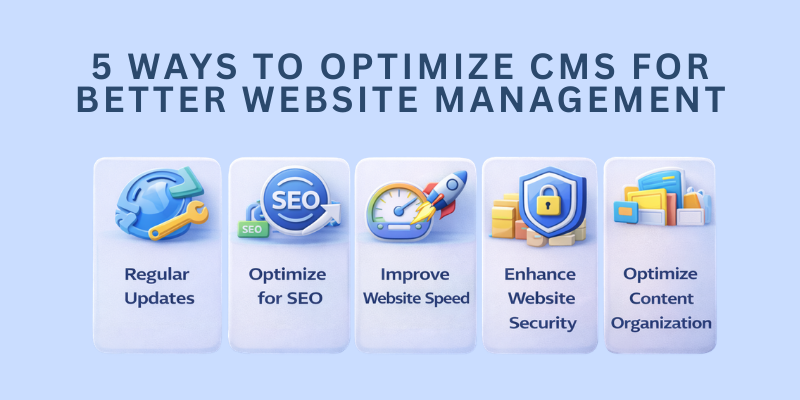
Here are five key ways to enhance your CMS and ensure better website management:
1. Regularly Update Your CMS, Themes, and Plugins
Keeping your CMS, themes, and plugins up to date is essential for maintaining security and functionality. Developers frequently release updates that address vulnerabilities, improve performance, and add new features.
2. Optimize for SEO
Most CMS platforms come with built-in SEO tools or plugins that can help improve your website’s visibility on search engines. Optimize your content by using SEO-friendly URLs, adding relevant meta tags, and ensuring that your site is easy for search engines to crawl.
3. Optimize for SEO
Most CMS platforms come with built-in SEO tools or plugins that can help improve your website’s visibility on search engines. Optimize your content by using SEO-friendly URLs, adding relevant meta tags, and ensuring that your site is easy for search engines to crawl.
4. Enhance Website Security
Regularly update your CMS, themes, and plugins, and use strong passwords for admin access. Implement SSL certificates to encrypt data, and install security plugins like Wordfence (for WordPress) to protect your site from hackers and malware
5. Optimize Content Organization
Organize your content into categories and tags for easier access and management. Use content management tools within your CMS to ensure that you can quickly find and edit pages, blog posts, and other media. Proper organization reduces clutter and helps maintain a more efficient workflow.
FAQs
What is a CMS in web design?
A Content Management System (CMS) is a software platform that allows users to create, manage, and update content on a website without needing technical expertise. It simplifies content editing and website management, making it accessible to non-developers.
Why should I use a CMS for my website?
Using a CMS simplifies website management, enhances scalability, and streamlines content updates. It allows businesses to manage their online presence without technical skills, making it cost-effective and efficient for managing content and design.
What are the most popular CMS platforms?
Some of the most popular CMS platforms include WordPress, Shopify, Joomla, and Drupal. Each platform offers unique features, with WordPress being widely used for blogs and small businesses, Shopify for e-commerce, and Drupal for complex websites requiring high scalability.
Can I customize my website with a CMS?
Yes, most CMS platforms allow for extensive customization. You can modify website themes, add plugins, and use design tools to match your brand’s identity. Platforms like WordPress and Joomla provide easy-to-use customization options without needing coding skills
How does CMS improve SEO for my website?
CMS platforms offer built-in SEO tools or plugins that help you optimize your website content, meta descriptions, and URLs. This makes it easier to follow SEO best practices, improving your website’s visibility on search engines and helping to drive organic traffic.
Is a CMS secure for my website?
CMS platforms are secure when maintained properly. Regular updates, strong passwords, and security plugins help protect your website from vulnerabilities. It’s important to use CMS security best practices to ensure your site is protected from threats like hacking or malware.
How do I know which CMS is right for my website?
The right CMS depends on your business goals and website requirements. If you need a simple, content-driven site, WordPress might be ideal. For e-commerce, Shopify is a great option, while Drupal and Joomla are better suited for larger, more complex websites.
Conclusion
Now that you understand what CMS is in web design, let’s wrap up.
A Content Management System (CMS) is a powerful tool that simplifies the process of creating, managing, and updating website content, making it crucial for web design success.
CMS platforms provide businesses with an intuitive and efficient way to manage digital content, integrate design elements, and ensure a seamless user experience.
By using a CMS, businesses can improve their website's scalability, content organization, and SEO performance, while also reducing reliance on developers for routine content updates.
This makes CMS an invaluable solution for businesses looking to maintain a dynamic, user-friendly website that can evolve as their needs grow.
At Centric, we specialize in delivering tailored CMS solutions for websites, helping businesses build efficient, secure, and scalable websites that drive engagement and growth.
Leverage a CMS to streamline your website management, enhance content delivery, and stay competitive in today’s digital landscape.





