





Are you wondering how to make a website ADA compliant?
In today’s digital world, ensuring your website is accessible to all users, including those with disabilities, is not just a legal requirement but a vital part of creating an inclusive user experience.
The Americans with Disabilities Act (ADA) mandates that public-facing websites must be accessible to individuals with disabilities, including those with visual, auditory, motor, and cognitive impairments.
Achieving ADA compliance is essential to avoid legal risks while enhancing the usability of your website for everyone. By ensuring your site meets ADA standards, you demonstrate your commitment to inclusivity and provide a better user experience.
Thus, by implementing best practices and utilizing the latest tools, Centric supports clients in creating websites that are not only compliant but also engaging for users with diverse needs.
Our step-by-step approach ensures your website’s success, avoiding potential legal complications while significantly enhancing your online presence.
What is the Americans with Disabilities Act (ADA)?
The Americans with Disabilities Act (ADA), passed in 1990, is a federal civil rights law that prohibits discrimination against individuals with disabilities.
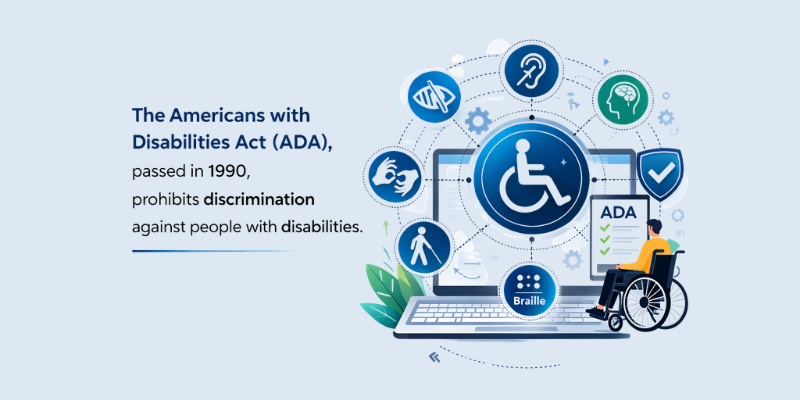
It ensures that people with disabilities have equal access and opportunities in all areas of life, including employment, education, transportation, and public services. Disabilities covered under the ADA include, but are not limited to:
-
Cancer
-
Diabetes
-
PTSD (Post-Traumatic Stress Disorder)
-
HIV/AIDS
-
Autism
-
Deafness or hearing impairments
-
Blindness or low vision
-
Epilepsy
-
Major depressive disorder
The ADA's main objective is to create an inclusive society where individuals with disabilities can participate fully and equally in all aspects of life. This includes providing accessible public accommodations, such as websites, to ensure that all individuals, regardless of their abilities, can access services and information.
Why Does the ADA Apply to Website Design?
The Americans with Disabilities Act (ADA) applies to website design because it extends its mandate for public accommodations and equal access to the digital world.
Just as physical spaces, such as stores and government buildings, are required to be accessible to individuals with disabilities, the same principle applies to websites and digital platforms.
Here’s why the ADA applies to website design:
-
Equal Access: Making websites accessible ensures that people with disabilities can fully participate in digital society, from shopping online to accessing government services.
-
Assistive Technologies: The ADA mandates that websites must be designed to work with technologies to provide an equal experience.
-
Legal Obligations: Businesses with inaccessible websites may face lawsuits or legal action under ADA non-compliance, potentially leading to costly settlements or fines.
-
Inclusivity and Accessibility: Ensuring website accessibility not only meets legal requirements but also helps businesses create an inclusive experience for all customers, boosting brand loyalty and customer satisfaction.
Check Our Website Design Services
5 Benefits of ADA Compliance
ADA compliance offers numerous advantages, making your website accessible not only to individuals with disabilities but also improving the overall user experience.
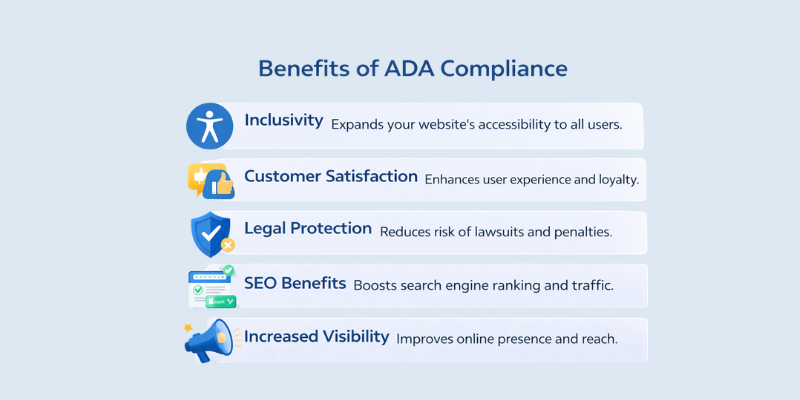
Here’s how adhering to ADA standards can benefit your website and business:
-
Inclusivity: By ensuring your website is accessible to individuals with various disabilities, you broaden your audience, allowing more users to engage with your content and services.
-
Customer Satisfaction: Providing an accessible website enhances the experience for all users, improving customer loyalty and satisfaction. When your site is easy to navigate, everyone benefits.
-
Legal Protection: Complying with ADA standards reduces the risk of costly lawsuits and legal actions. Meeting these regulations helps protect your business from potential financial and reputational harm.
-
SEO Benefits: Search engines prioritize accessible, user-friendly websites. By making your site ADA compliant, you increase your chances of improving its ranking, driving more organic traffic.
-
Increased Visibility: An accessible website enhances your online presence, making your brand more approachable to a wider audience. This can lead to increased traffic and higher engagement rates, boosting your overall business visibility.
By meeting ADA standards, you not only avoid legal risks but also create a better experience for all visitors, contributing to the long-term success of your website.
How to Ensure Your Website Meets ADA Compliance Standards?
Ensuring your website meets ADA compliance standards involves a series of crucial steps that can help make your site accessible to all users, including those with disabilities.
From conducting a thorough audit to enhancing the website's usability and design, there are several ways to ensure your site is both accessible and compliant.
Here are the main steps to take for compliance:
Start with an ADA Website Audit
The first step toward ADA compliance is conducting a comprehensive audit of your website. This involves using both automated tools and manual checks to identify accessibility issues.
Automated tools can help uncover common problems such as missing alt text, improper color contrast, and broken links, while manual checks are essential for testing keyboard navigation and screen reader compatibility.
-
Automated tools like WAVE and Axe are useful for spotting accessibility barriers quickly.
-
Manual checks should focus on aspects like proper heading structure, form labeling, and the ease of navigation without a mouse.
Improve Keyboard Accessibility
For users with motor impairments, ensuring your website is fully navigable by keyboard is essential for ADA compliance. All interactive elements should be accessible without relying on a mouse.
-
Add skip links to allow users to bypass repetitive navigation elements and jump straight to the main content.
-
Improve focus order by ensuring the tab order follows a logical sequence, making it easy for keyboard users to navigate through forms, links, and other interactive elements.
Enhance Color Contrast and Text Readability
Good color contrast and text readability are critical to accessibility, especially for users with visual impairments. Recommended contrast ratios should be adhered to in order to meet WCAG standards.
-
Recommended contrast ratios: Ensure text has a contrast ratio of at least 4.5:1 for normal text and 3:1 for large text against the background.
-
Use readable fonts, appropriate font size, and spacing to make content easier to read.
-
Avoid relying on color alone to convey information, such as indicating errors with red text only.
Add Alt Text for Images and Multimedia
Alt text is a critical accessibility feature for users who rely on screen readers. Every image, video, or non-text content should have descriptive alt text that conveys the purpose and context of the media.
-
How to write effective alt text: Be descriptive but concise. For example, "A person holding a smartphone" instead of just "smartphone."
-
For videos and multimedia content, ensure you provide transcripts or captions to make the content accessible for individuals with hearing impairments.
Create Accessible Forms and Buttons
Forms and buttons are often overlooked in accessibility audits, yet they are critical for user interaction. Ensuring forms and buttons are accessible is essential for ADA compliance.
-
Labeling form fields: Make sure every form field has a clear, descriptive label, like “Email Address” instead of just “Email.”
-
Error messages should be specific and helpful, guiding users to correct their input.
-
Keyboard-friendly buttons: All buttons should be operable via keyboard navigation and should have clear descriptions, especially for users with motor impairments.
4 ADA Compliance Checklist for Web Designers and Developers
The goal is to align your site with the Web Content Accessibility Guidelines (WCAG), which provide actionable techniques for accessibility across all digital experiences.
Here’s a checklist for web designers and developers to follow to achieve and maintain ADA compliance:
1. Perceivable
Make content accessible to all users by providing alt text for all images and multimedia, ensuring they are understandable for those using screen readers.
Allow text resizing without breaking the layout, making sure the website is easily adjustable for users with visual impairments.
Maintain color contrast that meets recommended ratios (4.5:1 for normal text), ensuring readability for users with low vision. Also, avoid relying on color alone to convey information, such as error messages or required fields.
2. Operable
To ensure full keyboard accessibility, all interactive elements (links, buttons, forms) should be navigable with just a keyboard. Implement a logical heading hierarchy (H1, H2) for smooth navigation.
Avoid time-based content or provide options to adjust timing, ensuring users aren’t rushed. Add skip navigation links to allow users to bypass repetitive content like menus and go directly to the main content of the page.

3. Understandable
Ensure clear, simple language is used throughout your website to make content easily readable for all users. Provide specific error messages and guidance for correcting mistakes, especially in forms, to reduce confusion.
Keep navigation consistent across the site, so users can easily find their way around and complete tasks without unnecessary frustration.
4. Robust
To make your website robust, use semantic HTML and proper accessibility attributes, ensuring compatibility with assistive technologies like screen readers. Ensure that the site works seamlessly across various devices and browsers to accommodate all users.
Regularly test your site with screen readers and other assistive tools to confirm that it’s fully functional for users with disabilities.
6 Tools and Resources for Testing ADA Compliance
Ensuring that your website meets ADA compliance standards requires a combination of automated and manual testing. Several tools have been developed to streamline this process and help designers and developers identify and resolve accessibility issues. These tools assess various aspects of website accessibility, including text alternatives, screen reader compatibility, and keyboard accessibility.
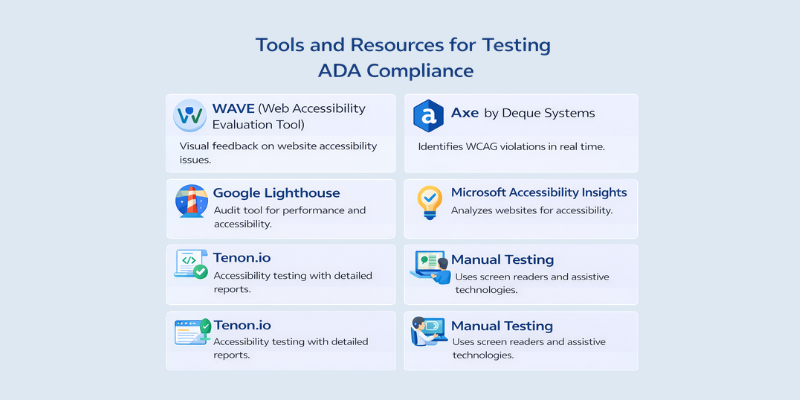
Below are some widely-used tools that can significantly aid in your ADA compliance efforts.
1. WAVE (Web Accessibility Evaluation Tool)
WAVE is a widely used tool that provides visual feedback on your website's accessibility. It detects issues like missing alt text, poor contrast, and other common accessibility violations. WAVE is available as a browser extension and can analyze pages in real time, making it easy to fix issues as they arise.
2. Axe by Deque Systems
Axe is a powerful accessibility testing tool that integrates with your browser's developer tools. It helps identify WCAG (Web Content Accessibility Guidelines) violations, focusing on issues related to screen reader compatibility, keyboard accessibility, and color contrast. Axe also allows for automated testing in CI/CD pipelines.
3. Google Lighthouse
Google Lighthouse is an open-source tool that audits your website’s accessibility, performance, SEO, and other best practices. It provides a comprehensive report on accessibility issues, including color contrast, alt text, and ARIA attributes. It’s easy to use and integrates directly with Chrome DevTools.
4. Microsoft Accessibility Insights
This tool offers a detailed analysis of accessibility issues in your website or web application. It provides both automated checks and suggestions for fixing violations, focusing on WCAG 2.1 standards.
5. Tenon.io
Tenon.io provides a comprehensive web accessibility testing solution. It evaluates your website’s ADA compliance and identifies violations.
Tenon offers easy-to-read reports with action items, making it a good option for developers who want to maintain continuous accessibility checks throughout the development process.
6. Manual Testing
While automated tools are incredibly useful, manual testing with assistive technologies like screen readers (e.g., JAWS, NVDA) and voice control tools is essential. Test your website’s usability by simulating real user experiences, such as navigating with a keyboard, using screen readers, or relying on voice commands.
Best Practices for Maintaining ADA Compliance
To ensure continuous accessibility, developers and designers must adopt best practices that focus on routine checks, clear design principles, and testing with assistive technologies.
To ensure your website remains ADA compliant, follow these best practices:
-
Continuous Monitoring: Regularly test your website using tools like WAVE, Axe, and Google Lighthouse to identify and fix accessibility issues.
-
Simplify Content: Use clear, concise language and provide structured, consistent navigation to make content easily understandable.
-
Leverage Assistive Technologies: Test your website with screen readers, voice commands, and magnifiers to ensure compatibility with assistive devices.
-
Responsive Design: Ensure your website is mobile-friendly and works across all devices and browsers.
-
Update Content Regularly: As your website evolves, keep accessibility in mind by re-testing and updating content to meet ADA standards.
Legal Implications of Non-Compliance
Failing to comply with ADA standards can expose businesses to serious legal consequences. The Americans with Disabilities Act (ADA) mandates that websites and digital platforms be accessible to all users, including those with disabilities.
Here are the key risks associated with non-compliance:
-
Legal Actions and Lawsuits: Individuals or advocacy groups can file lawsuits against businesses with inaccessible websites, leading to costly legal proceedings, settlements, and required accessibility fixes.
-
Fines and Penalties: Regulatory bodies, like the Department of Justice (DOJ), can impose fines on businesses that fail to comply with ADA standards.
-
Reputational Damage: Businesses that fail to meet ADA compliance risk public backlash, loss of customers, and reduced brand loyalty, all of which can harm long-term success.
-
Ongoing Compliance Costs: Continually addressing accessibility issues can lead to increased costs, especially if ADA violations are identified after the website launch.
For businesses facing such challenges, digital transformation services can help ensure compliance by implementing effective strategies to address accessibility and streamline business processes.
FAQs
What is ADA compliance for websites?
ADA compliance ensures that websites are accessible to all users, including those with disabilities. This includes making content perceivable, operable, understandable, and robust for users with visual, auditory, motor, and cognitive impairments. Complying with ADA standards helps ensure that websites are usable for everyone, avoiding discrimination and legal risks.
Why is ADA compliance important for my website?
ADA compliance is crucial for ensuring inclusivity, legal protection, and SEO benefits. By making your website accessible, you provide a better user experience for people with disabilities, reduce the risk of lawsuits, and enhance your SEO rankings since search engines favor accessible websites.
Who needs to comply with ADA website standards?
All public-facing websites, including those belonging to businesses, government entities, and non-profits, need to comply with ADA standards. This includes small businesses, educational institutions, healthcare providers, and retail sites that serve the public. Any website offering goods or services to the public must be accessible.
What are the legal consequences of not being ADA compliant?
Non-compliance with ADA standards can lead to lawsuits, fines, and settlements. Recent legal cases, such as Robles v. Domino's Pizza and National Association of the Deaf v. Netflix, have shown that businesses may be required to redesign their websites or pay legal fees. Failing to comply can also harm a brand's reputation and customer trust.
How can I test if my website is ADA compliant?
There are several tools available to test your website's ADA compliance, including WAVE, Axe, and Google Lighthouse. These tools assess various accessibility aspects such as keyboard navigation, color contrast, alt text for images, and compatibility with screen readers. Regular testing and manual checks are necessary to ensure ongoing compliance.
Can accessibility widgets make my website ADA compliant?
No, accessibility widgets alone are not enough to make a website fully ADA compliant. While they can improve certain aspects of accessibility, a comprehensive approach that includes proper design, development, and testing is necessary to ensure full compliance with ADA standards.
How often should I audit my website for ADA compliance?
ADA compliance should be an ongoing process. Regular audits are essential to keep your website accessible, especially as you update content or add new features. It’s recommended to conduct accessibility checks at least once a quarter, or every time you make significant changes to your site.
Can my website be ADA compliant without a complete redesign?
Yes, many websites can become ADA compliant without a full redesign. Accessibility improvements can often be made by adjusting content, fixing coding issues, and enhancing navigation features. However, in some cases, a partial redesign may be necessary to fully meet compliance standards.
Conclusion
Now that you understand how to make a website ADA compliant, let’s wrap up. Ensuring your website meets ADA standards is not just about legal compliance it’s about providing an inclusive and user-friendly experience for everyone.
From conducting regular audits and improving accessibility features to leveraging assistive technologies, the steps outlined in this blog will help you create a website that is fully accessible to all users.
Centric offers comprehensive solutions to ensure your business meets ADA compliance. Our team specializes in ADA compliance audits, website enhancements, and ongoing support to keep your digital platforms accessible.
With Centric’s expertise, we help businesses create websites that are not only compliant but also deliver a better user experience.





